

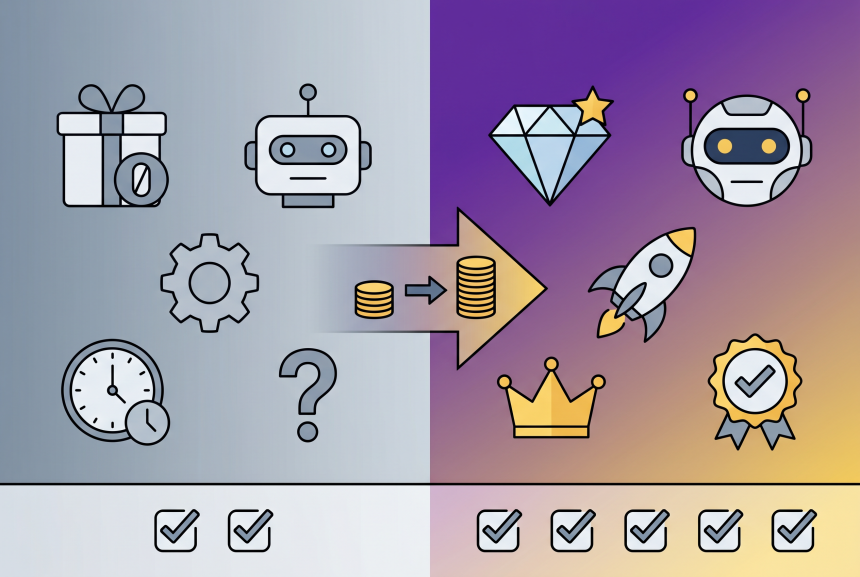
You’re using free AI tools. ChatGPT free helps you draft emails. Canva free designs your social graphics. HubSpot free tracks your leads. And honestly? It’s working pretty well.
But every time you open these tools, you see ads for the paid versions. “Upgrade to Pro!” “Get Plus for faster responses!” “Unlock advanced features!”
You start to wonder: Am I missing out? Would upgrading save me time? Or would it just be another subscription draining my bank account?
The decision feels unclear. Upgrade too early and you’re wasting money on features you don’t need. Stay free too long and you might be losing hours of productivity—or missing opportunities to grow.
I’ve been there. I’ve tested free tiers against paid versions for dozens of tools. I’ve helped businesses cut $500+/month in unnecessary subscriptions—and helped others identify where paid tools were actually costing them money by not upgrading.
In this post, I’m giving you an honest framework to answer the question: free vs paid AI tools—which should you choose? You’ll learn the 4 questions to ask before upgrading, hidden costs of “free,” ROI math for popular tools, and a clear decision guide based on your business stage.
Let’s find out what you actually need.
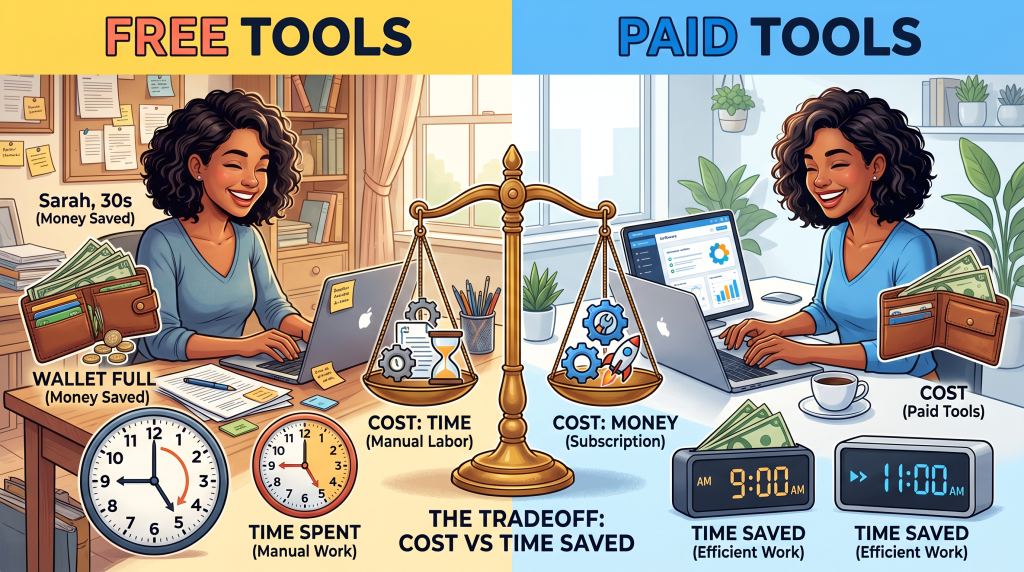
Soft Gate: Get Your Free vs Paid Tool ROI Calculator
Before we dive into the framework, I want to give you a tool that helps you evaluate your own stack. I’ve created a free Free vs Paid Tool ROI Calculator that includes the 4-question framework, subscription audit worksheet, tool comparison matrix, and upgrade decision guide.
It’s the exact tool I use to help businesses optimize their subscription spending.
[Click here to grab your free Free vs Paid Tool ROI Calculator.]
The Free vs Paid Framework: 4 Questions to Ask
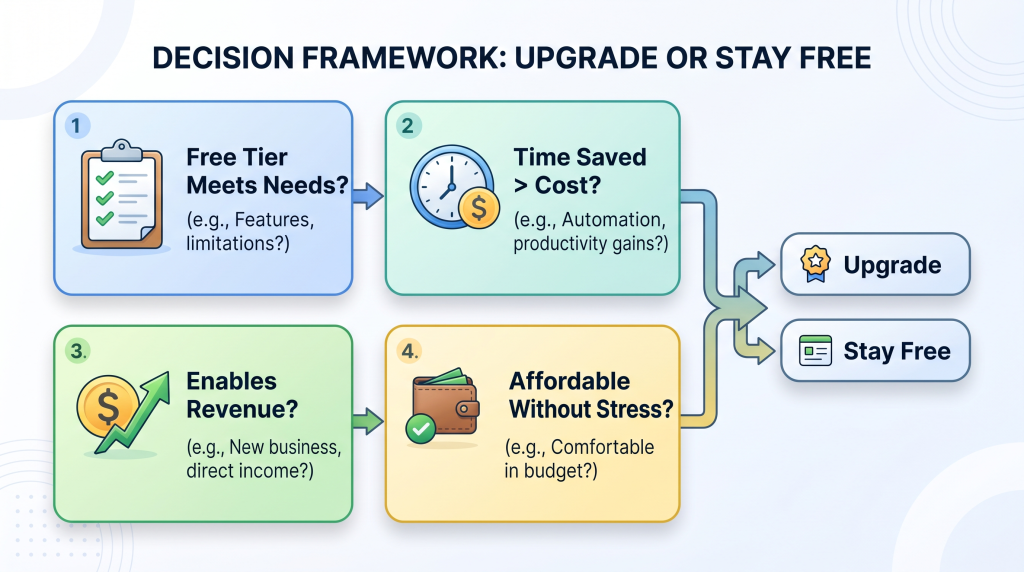
Before you upgrade any tool, ask yourself these 4 questions. They’ll save you thousands in unnecessary subscriptions.
Question 1: Does the free tier meet your current needs?
Question 2: Would paid save you time worth more than its cost?
Question 3: Would paid enable revenue you can’t get otherwise?
Question 4: Can you afford it without stress?
The Bottom Line: Pay for tools that either save you meaningful time or enable revenue. Avoid paying for tools that just feel “nice to have” or that you’re paying for out of FOMO.
The Hidden Cost of Free Tools
“Free” isn’t always free. Here’s what you’re actually paying for.
| Hidden Cost | Example |
|---|---|
| Time | Spending 10 extra hours/month manually doing what a paid tool automates |
| Quality | Free tier watermarks, limited templates, generic output that hurts your brand |
| Opportunity | Missing revenue because free tier lacks automation, analytics, or scale |
| Complexity | Juggling 5 free tools instead of 1 paid all-in-one |
| Frustration | Hitting limits when you’re in the middle of important work |
Real Example: Canva Free vs Pro
| Free | Pro |
|---|---|
| Canva free + separate background remover + separate photo editor | One tool, one login |
| 3 tools, 3 logins, manual workflow | One-click background removal |
| Watermarks on some features | No watermarks |
Time saved: 2–3 hours/week → $100–$150/week value (at $50/hr)
Cost: $15/month ($3.75/week)
ROI: 26–40x
The point: Sometimes “free” is actually more expensive when you account for your time.
Popular Tools: Free vs Paid Breakdown
ChatGPT: Free vs Plus ($20/month)
| Factor | Free | Plus | Verdict |
|---|---|---|---|
| Model Access | GPT-5.2 Mini (mostly) | Full GPT-5.2 | Plus faster, smarter |
| Usage Limits | Rate-limited | Higher limits, priority access | Plus for heavy users |
| Features | Core chat | Web browsing, file uploads, custom GPTs | Plus for power users |
ROI Math:
Verdict: Free is enough for most. Plus is worth it if you use ChatGPT daily for work.
Canva: Free vs Pro ($15/month)
| Factor | Free | Pro | Verdict |
|---|---|---|---|
| Templates | 250,000+ | 1M+ | Pro for variety |
| AI Features | Magic Write, limited Magic Media | Full Magic Studio | Pro for AI design |
| Brand Kit | 1 | 100+ | Pro for brands |
| Background Remover | Manual (workaround) | One-click | Pro for efficiency |
ROI Math:
Verdict: Free is excellent. Pro is worth it if you design weekly AND value time savings.
HubSpot: Free vs Paid ($15–$800+/month)
| Factor | Free | Paid | Verdict |
|---|---|---|---|
| Contacts | Unlimited | Unlimited | Free wins |
| Email Marketing | 2,000 emails/month | Custom limits | Free for beginners |
| Automation | No sequences | Advanced workflows | Paid for scaling |
| Reporting | Basic | Advanced dashboards | Paid for data-driven |
ROI Math:
Verdict: Free is the best free CRM. Paid only when you need automation and have revenue to justify.
Grammarly: Free vs Premium ($12/month)
| Factor | Free | Premium | Verdict |
|---|---|---|---|
| Grammar/Spelling | ✅ Core errors | ✅ Advanced | Free catches most |
| Tone Suggestions | ❌ No | ✅ Yes | Premium for professionals |
| Plagiarism Check | ❌ No | ✅ Yes | Premium for publishers |
ROI Math:
Verdict: Free catches 80% of errors. Premium is worth it if you publish professionally.
Zapier: Free vs Paid ($20–$100+/month)
| Factor | Free | Paid | Verdict |
|---|---|---|---|
| Tasks | 100/month | 750–50,000+ | Free for light use |
| Multi-Step Zaps | ❌ No | ✅ Yes | Paid for complexity |
| Filters | ❌ No | ✅ Yes | Paid for precision |
ROI Math:
Verdict: Free for basic connections. Paid when you automate workflows that save hours weekly.
The ROI Math: When Does Paid Make Sense?
Let’s get specific with the numbers.
The Formula:
Worth It If: (Time Saved × Your Hourly Rate) + Revenue Enabled > Subscription Cost
ChatGPT Plus ($20/month)
| Usage | Time Saved/Week | Time Saved/Month | Value (at $50/hr) | ROI |
|---|---|---|---|---|
| Daily use (5+ hours/week) | 2–5 hours | 8–20 hours | $400–$1,000 | 20–50x |
| Weekly use (1–2 hours/week) | 0.5–1 hour | 2–4 hours | $100–$200 | 5–10x |
| Occasional use | Minimal | Minimal | Minimal | Not worth |
Canva Pro ($15/month)
| Usage | Time Saved/Week | Time Saved/Month | Value (at $50/hr) | ROI |
|---|---|---|---|---|
| Daily design (5+ hours/week) | 2–3 hours | 8–12 hours | $400–$600 | 26–40x |
| Weekly design (2–3 hours/week) | 0.5–1 hour | 2–4 hours | $100–$200 | 6–13x |
| Occasional design | Minimal | Minimal | Minimal | Not worth |
Zapier (Starter: $20/month)
| Scenario | Time Saved/Week | Value (at $50/hr) | ROI |
|---|---|---|---|
| Manual data entry eliminated | 1–2 hours | $50–$100 | 2.5–5x |
| Client onboarding automated | 2–3 hours | $100–$150 | 5–7.5x |
The key insight: Tools that save you time pay for themselves quickly—if you actually use them. Tools you use once a month? Not worth it.
When to Stay Free (And When to Upgrade)
Stay Free If:
| Scenario | Why |
|---|---|
| You’re just starting | Validate your business before adding costs. Free tiers let you test without commitment. |
| You use tools occasionally | Free tier meets your needs. Why pay for something you use once a month? |
| You’re not sure yet | Test free tier for 30–90 days. If you’re not hitting limits, you don’t need paid. |
| Paid features don’t save meaningful time | ROI math doesn’t pencil out. Don’t pay for features you won’t use. |
| Subscription causes financial stress | Never pay for tools that cause anxiety. Wait until you have revenue. |
Upgrade If:
| Scenario | Why |
|---|---|
| You consistently hit free tier limits | You’ve validated need. If you’re hitting limits every month, you’re ready. |
| Time saved > subscription cost | Clear ROI positive. The tool pays for itself in time savings. |
| Tool enables revenue you can’t get otherwise | Direct revenue impact. Paid features unlock sales or higher pricing. |
| Free tier watermarks hurt your brand | Professional quality matters. Watermarks look amateur. |
| You’re spending hours on workarounds | Time value exceeds cost. Stop working around free tier limits. |
The 30-Day Rule: If you hit free tier limits for 30 consecutive days, you’re ready to upgrade. If you hit them once a month, stay free.
Free Tier Showdown: Which Tools Have the Best Free Tiers?
| Tool | Free Tier Highlights | Best For |
|---|---|---|
| ChatGPT | Generous rate limits, versatile, no credit card required | General writing, brainstorming |
| Canva | 250k+ templates, Magic Write, Magic Media | Design for beginners |
| HubSpot | Unlimited contacts, 2,000 emails/month, forms, chat | CRM, email marketing |
| MailerLite | 1,000 subscribers, unlimited emails, automations | Email marketing |
| Calendly | One calendar, unlimited events | Meeting scheduling |
| Buffer | 3 social accounts, basic scheduling | Social media scheduling |
| Zapier | 100 tasks/month | Basic automation |
| Perplexity AI | Unlimited searches, citations | Research with sources |
| Google Search Console | Unlimited | SEO data for your site |
| Grammarly | Core grammar/spelling | Writing polish |
Winner: ChatGPT, Canva, and HubSpot have the most generous free tiers that can sustain a real business for months or years.
The “I Feel Guilty Using Free Tools” Objection
I hear this from almost every entrepreneur. “I feel like I should be paying for tools. I’m using them for my business—shouldn’t I support the companies?”
Here’s the honest answer:
Free tiers exist for a reason. Companies want you to test, validate, and eventually upgrade. You’re not “cheating” the system. You’re evaluating.
When to feel guilty: Never. The free tier is part of their business model. They’re counting on you to upgrade when you outgrow it—not before.
Reframe: “Free tools aren’t just for beginners. They’re for anyone who hasn’t outgrown them yet. Use them without guilt. Upgrade without hesitation when you genuinely need to.”
The Upgrade Path: How to Scale Your Tool Stack
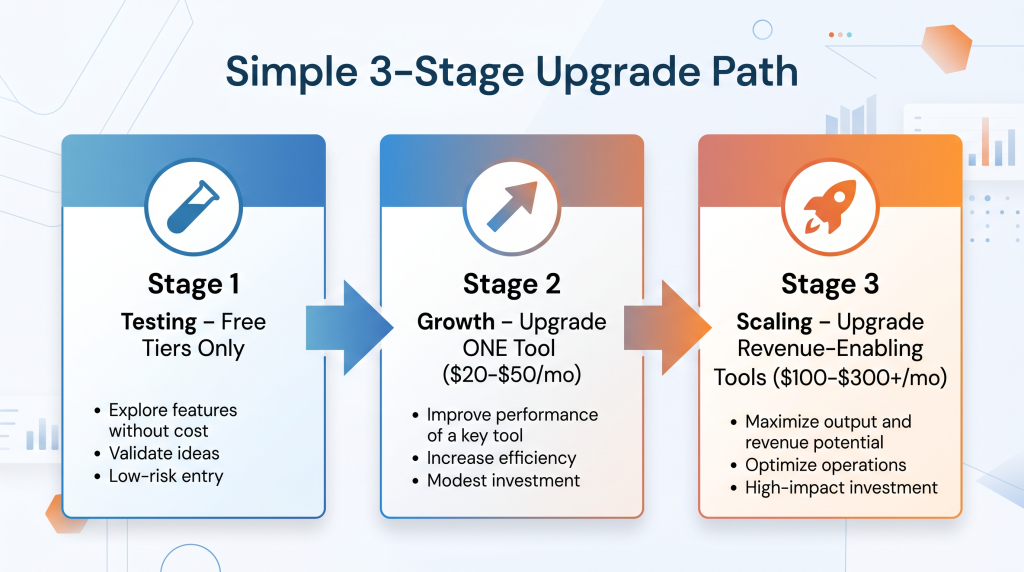
You don’t need to upgrade all at once. Here’s a realistic progression.
Stage 1: Testing (0–3 months)
Stage 2: Growth (3–12 months)
Stage 3: Scaling (12+ months)
The Rule: Never upgrade before you need to. Never stay free after it costs you time or revenue.
Subscription Audit: How to Evaluate Your Current Stack
It’s time to audit your own subscriptions. Here’s how.
Step 1: List all subscriptions
Export your bank or credit card statements. List every subscription you’re paying for. You may be surprised.
Step 2: Calculate monthly total
Add them up. This is what you’re spending monthly on tools.
Step 3: For each tool, ask:
Step 4: Take action
Step 5: Set a quarterly audit reminder
Subscription creep happens gradually. Set a calendar reminder to audit every 3 months.
You now have a framework for evaluating free vs paid tools, ROI math for popular tools, decision criteria, and an upgrade path.
But reading the framework is one thing. Auditing your own stack and applying the ROI formula is what saves real money.
Get Your Free, Free vs Paid Tool ROI Calculator (Benefit-Focused)
Problem Recap: You’re using free AI tools but wondering if paid versions are worth it. You don’t want to waste money on subscriptions you don’t need, but you also don’t want to miss out on time savings or revenue opportunities.
Solution: I’ve created a free Free vs Paid Tool ROI Calculator that takes this framework and turns it into an actionable audit tool. Inside, you’ll get:
Action: Every subscription you’re paying for but not using is money that could be invested in growth. Click the button below, grab your free ROI Calculator, and audit your stack today.
[Get Your Free, Free vs Paid Tool ROI Calculator →]
P.S.
Here’s the truth about AI tools: free tools are for validating. Paid tools are for scaling. The smartest entrepreneurs know when to use each. Start free. Upgrade when it saves time or enables revenue. Audit quarterly. Your ROI Calculator is waiting. Start today.
Free tools are for validating. Paid tools are for scaling. The smartest entrepreneurs know when to use each.
Aslam Ssonko