



You started your business for freedom. For control. For the ability to call your own shots.
But somewhere along the way, that freedom disappeared. Now you’re working 50, 60, even 70 hours a week. You’re the CEO, the marketer, the customer support rep, the bookkeeper, the content creator, and the person who answers the same email for the hundredth time.
You’re constantly in reaction mode—handling messages, sending invoices, creating content, chasing leads. And the work that actually grows your business? The strategy, the high-value client work, the creative projects? It keeps getting pushed to “when I have time.” But that time never comes.
Here’s what staying in this “manual everything” cycle costs you:
I’ve been there. I built my first solo business doing everything manually. I answered every email myself. I sent every invoice manually. I created every social media post from scratch. And I was exhausted.
Then I discovered something that changed everything: automation isn’t about replacing yourself. It’s about handling the repetitive so you can focus on the irreplaceable.
In this post, I’m going to show you exactly how to automate the 5 core areas of your one-person business. I’ve used these systems to reclaim 10–15 hours a week, serve more clients, and actually enjoy running my business again. And you can too.

Soft Gate: Get Your Solo Operator Automation Kit
Before we dive into the 5 automation areas, I want to give you a tool that makes this immediately actionable. I’ve created a free Solo Operator Automation Kit that includes a 30-day automation plan, a tool stack template with links to free tiers, and step-by-step setup guides for each of the 5 areas we’re about to cover.
It’s the exact system I use to help solo business owners reclaim their time without hiring.
[Click here to grab your free Solo Operator Automation Kit.]
The “Solo Operator” Automation Mindset
Let’s clear something up right now. When you hear “automation,” you might think of robots taking over, cold impersonal systems, or replacing the human touch that makes your business special.
That’s not what this is.
Automation for solo operators is simple: it handles the repetitive so you can focus on the irreplaceable.
The things your clients love about you—your expertise, your empathy, your creativity, your unique perspective—those cannot and should not be automated. But the 80% of your day that’s administrative, repetitive, and draining? That can be.
The solo operator mindset:
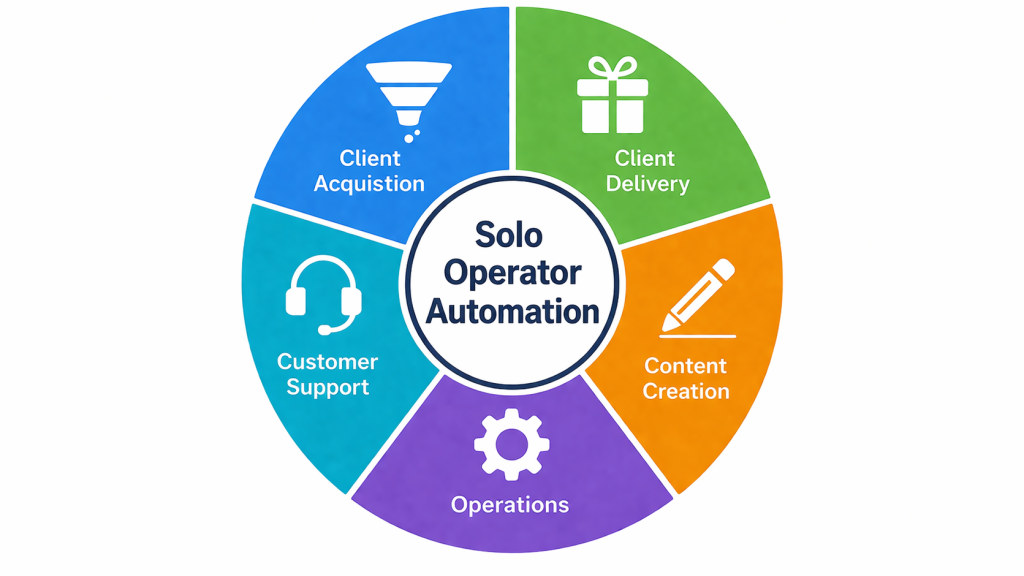
The 5 areas we’re going to automate:
| Area | What It Handles |
|---|---|
| 1. Client Acquisition | Lead capture, follow-up, scheduling |
| 2. Client Delivery | Onboarding, templates, project management |
| 3. Content Creation | Repurposing, scheduling, evergreen sequences |
| 4. Operations | Invoicing, data sync, expense tracking |
| 5. Customer Support | FAQs, common questions, text expanders |
You don’t need to automate all five at once. Start with the area that’s draining you the most.
Automation Area #1: Client Acquisition (Never Chase Leads Again)
The Problem:
You spend hours manually following up with leads. You forget to nurture people who showed interest. You go back and forth on email trying to find a time to talk. By the time you actually get someone on a call, you’ve already invested more time than the sale is worth.
The Automated Solution:
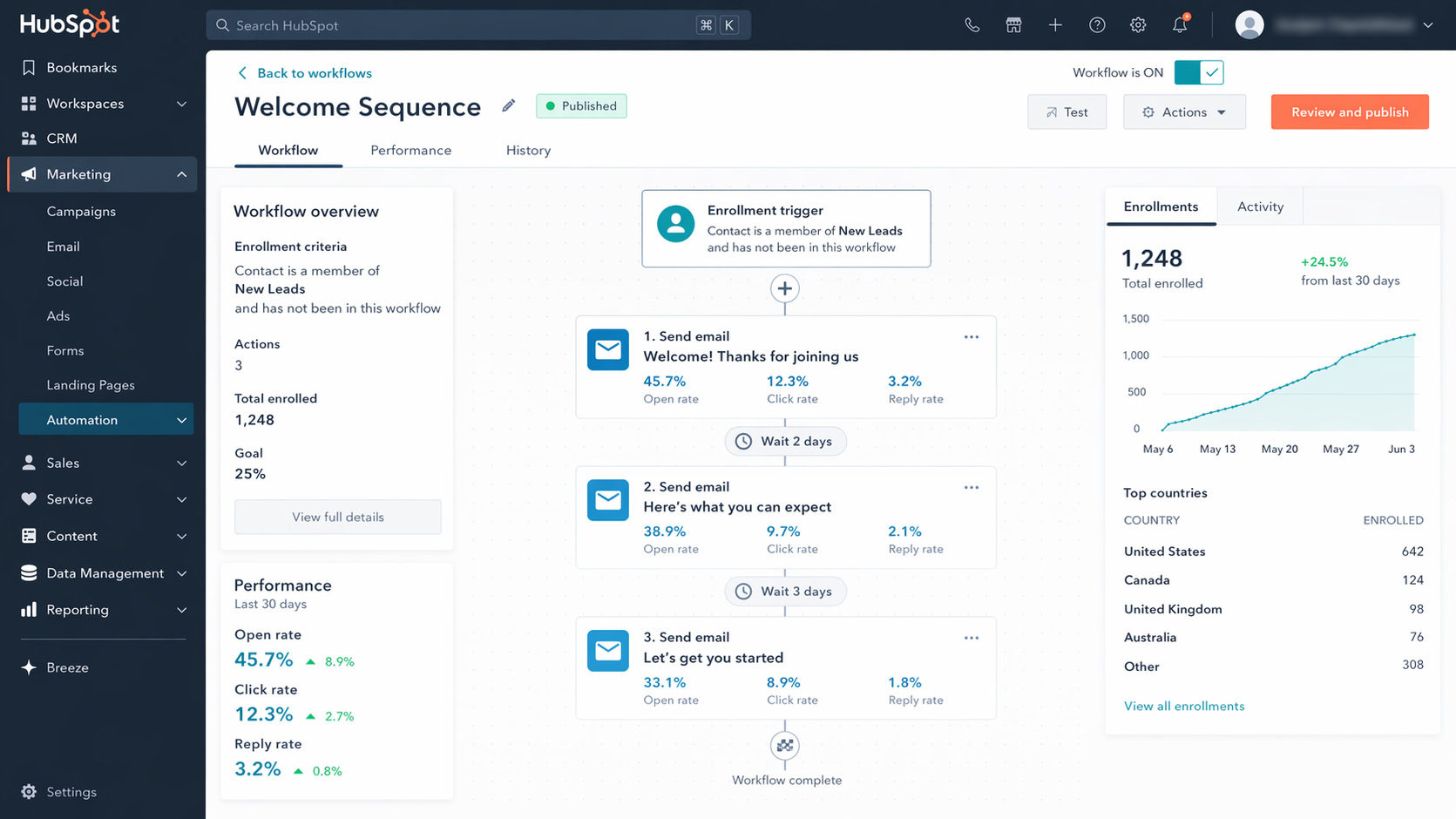
1. Lead magnet + automated email sequence
Set up a simple “lead magnet” (checklist, template, guide) that people can download. Then create a 3–5 email sequence that automatically nurtures them over the next week.
This sequence runs automatically. You set it up once. It works forever.
2. Automated booking link
Stop the back-and-forth. Use Cal.com (free) or Calendly (free tier) to let leads book time directly on your calendar. Your calendar syncs. They pick a time. It’s done.
3. Lead tracking & reminders
Use a free CRM like HubSpot or Streak (for Gmail users). Set up automated reminders to follow up with leads who haven’t responded. No more “I forgot to reach back out.”
Time saved: 5–8 hours per week.
Automation Area #2: Client Delivery (Onboard & Deliver Without the Manual Work)
The Problem:
Every new client requires the same manual steps: sending welcome emails, sharing contracts, chasing signatures, explaining your process, sending the same instructions you’ve sent a hundred times. You love your clients, but the administrative overhead is exhausting.
The Automated Solution:
1. Automated onboarding workflow
Use tools like Dubsado, HoneyBook, or Zapier to create an automated onboarding sequence:
2. Template library
Store all your standard documents in one place:
Use Notion or Google Drive with a single link you can share. When a new client starts, you send one link. They have everything.
3. Recurring project templates
If you do repeatable work for clients (e.g., monthly social media management, weekly coaching calls, website audits), create project templates in Trello, Asana, or ClickUp.
Time saved: 4–6 hours per client.
Automation Area #3: Content Creation (One Hour of Work, Weeks of Content)
The Problem:
You know you need to create content to attract clients, but it’s a time suck. You spend hours writing one post, then feel like you need to do it all over again tomorrow. You’re exhausted before you even start.
The Automated Solution:
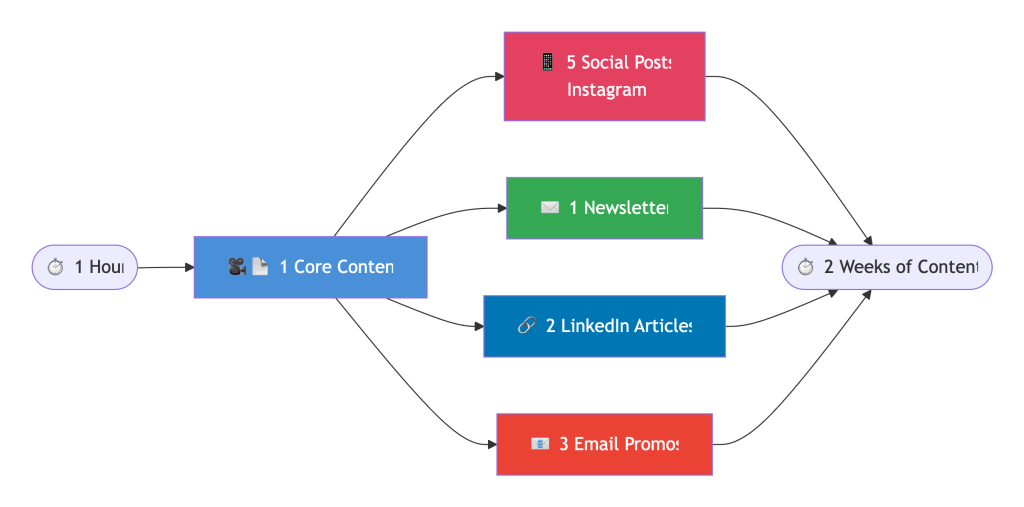
1. The repurposing workflow
Create one core piece of content. Then let systems and AI turn it into multiple pieces.
| Core Content | Automated Outputs |
|---|---|
| One blog post | 5–10 social media captions (via ChatGPT) |
| One YouTube video | 10 short clips (via Opus Clip), transcript (via AI), LinkedIn post |
| One podcast episode | Newsletter recap, 5 social quotes, show notes |
Workflow:
2. Evergreen email sequences
Set up automated email sequences that promote your best content to new subscribers. Write it once. It runs forever.
Time saved: 10–15 hours per week.
Automation Area #4: Operations (Remove Admin Overload)
The Problem:
You’re spending evenings and weekends on admin—invoicing, chasing payments, copying data from one tool to another, tracking expenses. It’s the kind of work that never ends and never feels like progress.
The Automated Solution:
1. Automated invoicing
Use Freshbooks, Wave (free), or Xero to set up recurring invoices for retainer clients. They go out on the same day every month. You don’t touch them.
2. Automated payment reminders
Set up automatic reminders for overdue invoices. The system sends a gentle nudge. You don’t have to have the awkward conversation.
3. Data sync with Zapier
Connect your tools so data flows automatically:
Zapier’s free tier handles 100 tasks/month—plenty for most solo operators.
4. Automated expense tracking
Connect your business bank account or credit card to your accounting software. Transactions auto-categorize. No more saving receipts in a shoebox.
Time saved: 3–5 hours per week.
Automation Area #5: Customer Support (Answer Once, Help Everyone)
The Problem:
You answer the same questions over and over. “How do I access the course?” “When will I receive my files?” “What’s your refund policy?” You’re grateful for the questions, but answering them manually is draining.
The Automated Solution:
1. FAQ automation
Create a simple FAQ page or knowledge base. Use Notion, Help Scout, or even a Google Doc. Then:
2. Chatbot for common questions
Use free chatbot tools like ManyChat (for Instagram/Facebook) or Tidio (for website) to answer common questions automatically.
You still handle the complex questions. But the 80% that are repetitive? The chatbot handles them.
3. Text expanders
Use tools like TextExpander or Google Docs templates to insert canned responses with a few keystrokes.
Seconds per response instead of minutes.
Time saved: 2–4 hours per week.
You know what your problem is, it’s that you haven’t seen enough movies – all of life’s riddles are answered in the movies.
Aslam Ssonko
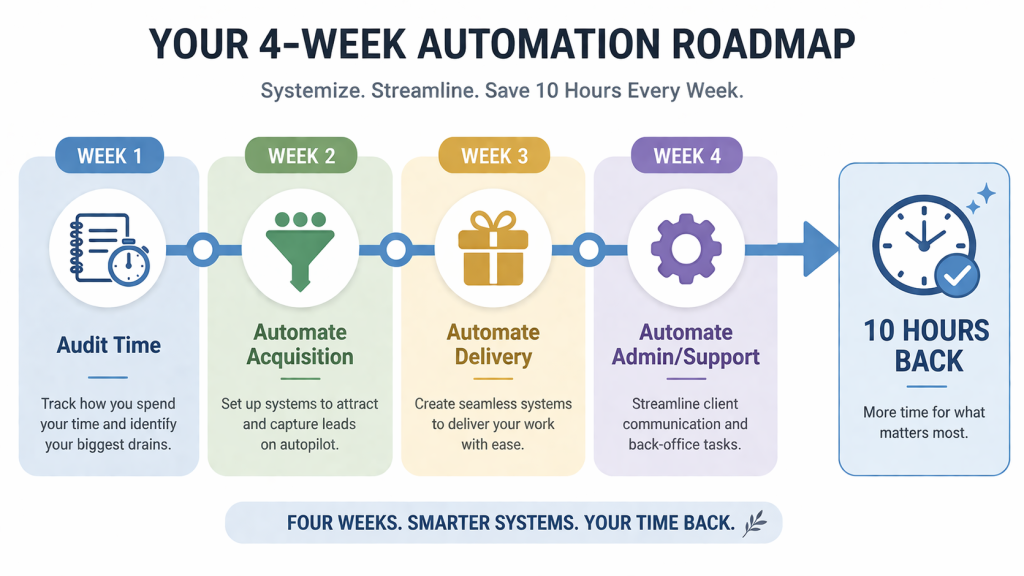
Your First 30-Day Automation Plan
You don’t need to automate everything this week. Here’s a realistic 30-day plan to build momentum.
| Week | Focus | Action | Time Saved Goal |
|---|---|---|---|
| Week 1 | Audit | Track everything you do for 3 days. Identify the 3 tasks you hate most that are also repetitive. | N/A |
| Week 2 | Client Acquisition | Set up Calendly (or Cal.com). Create a 3-email welcome sequence in MailerLite. | 3–5 hours |
| Week 3 | Client Delivery | Create an onboarding template (Notion or Google Doc). Set up project template in Trello/Asana. | 2–4 hours |
| Week 4 | Operations or Support | Choose one: set up recurring invoices OR create FAQ page with text expanders. | 2–3 hours |
By Day 30, you’ve reclaimed 7–12 hours per week. That’s an entire day back.
The “But I’m Not Techy” Objection
I hear this from almost every solo business owner I work with. Here’s the truth:
You don’t need to be techy. You need to be willing to try.
The reframe: If you can use Gmail and Google Docs, you can set up these automations. The tools are designed for people like you—busy business owners who want simplicity, not complexity.
You now have the 5 automation areas that will save you 10–15 hours a week. You have the 30-day plan. You have the mindset shift.
But I know that knowing what to automate and actually implementing the systems are two different things. It’s easy to get stuck on “which tool should I use?” or “how do I actually set this up?”
That’s why I created a resource to walk you through every step.
Get Your Free Solo Operator Automation Kit (benefit-focused)
Problem Recap: You’re running your business alone, working 50+ hours a week, and drowning in manual tasks that steal your time and energy. The freedom you started this business for feels like a distant memory.
Solution: I’ve created a free Solo Operator Automation Kit that takes this entire blueprint and turns it into a done-with-you system. Inside, you’ll get:
This isn’t theory. It’s the exact system I’ve used to help solo business owners reclaim their time and scale without hiring.
Action: Stop spending your evenings doing admin work. Click the button below, grab your free Automation Kit, and start building systems that work for you.
[Get Your Free Solo Operator Automation Kit →]
P.S.
Here’s the truth about manual work: every hour you spend on repetitive tasks is an hour you could have spent on work that actually grows your business—or on the people you love. The tools are free to try. The systems are simple to set up. The only thing standing between you and 10 hours back in your week is starting. Grab your kit today.