

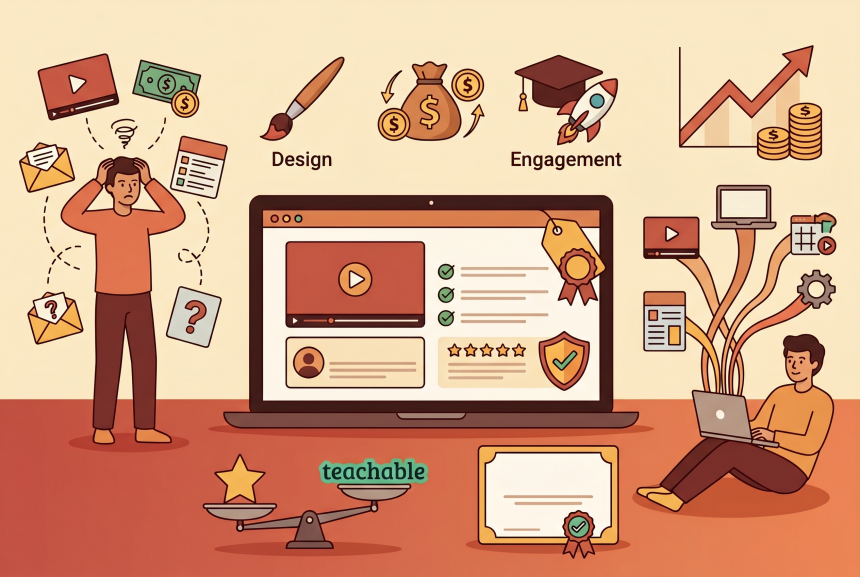
You’ve poured your expertise into your course. You’ve created the videos, written the worksheets, and designed the modules. Now comes the hard part: choosing where to host it.
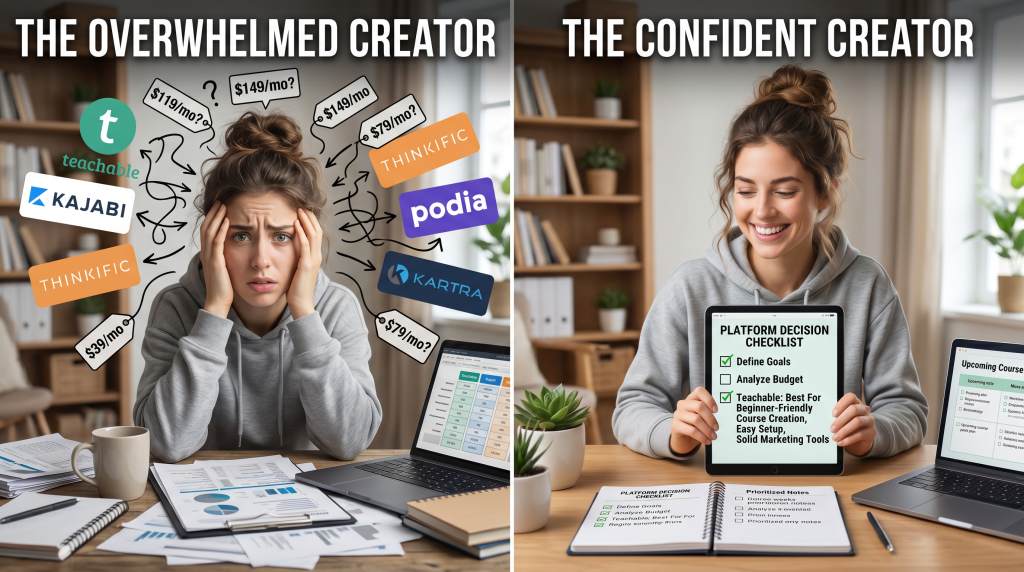
Teachable, Kajabi, Thinkific, Podia—every platform promises to be “the best.” They all have flashy websites, compelling testimonials, and pricing plans that make your head spin. And you’re terrified of making an expensive mistake.
Choose the wrong platform and you could end up:
I’ve been there. When I launched my first course, I spent weeks researching platforms, testing free trials, and agonizing over the decision. In this review, I’m giving you what I wish I had: an honest, no-hype assessment of Teachable.
You’ll learn what it actually does, pricing breakdown, pros and cons, who it’s right for, how it compares to alternatives, and—most importantly—a clear recommendation based on your course business stage and goals.
Let’s make this decision together.
Soft Gate: Get Your Teachable Decision Guide
Before we dive into the full review, I want to give you a tool that helps you answer the “is it right for me?” question. I’ve created a free Teachable Decision Guide that includes the persona assessment, ROI calculator, 30-day launch checklist, and Teachable vs. Alternatives comparison sheet.
It’s the exact framework I use to help course creators choose the right platform.
[Click here to grab your free Teachable Decision Guide.]
What Is Teachable? (Plain English)
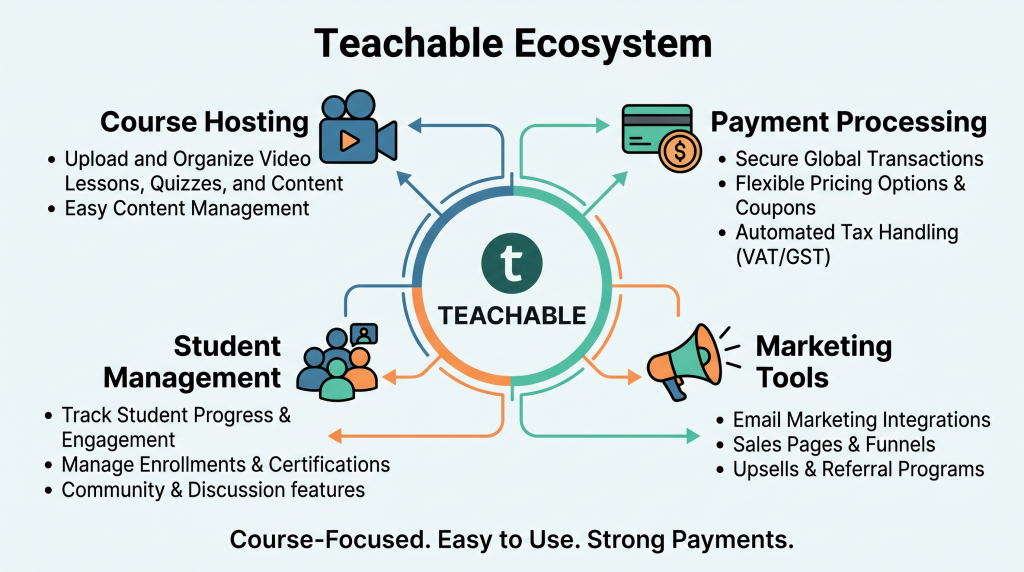
Let’s start with the basics. Teachable is a platform that lets you create, market, and sell online courses—all without needing technical skills.
Think of it this way: You focus on creating great content. Teachable handles everything else.
| What Teachable Handles | What It Means for You |
|---|---|
| Course hosting | Videos, text, quizzes, assignments—all in one place |
| Payment processing | One-time payments, subscriptions, payment plans—automatically |
| Student management | Enrollment, progress tracking, communication |
| Basic marketing | Landing pages, sales pages, checkout |
| Affiliate program | Recruit affiliates, track commissions, pay automatically |
Teachable vs. Other Platforms:
| Platform | Focus | Price Range |
|---|---|---|
| Teachable | Course-focused, easy to use | $39–$499/month |
| Kajabi | All-in-one marketing + courses | $149–$399/month |
| Thinkific | Course-focused, different pricing | $36–$199/month |
| Podia | Simpler, digital products + courses | $39–$79/month |
Teachable Pricing & Plans (2026)
Here’s what Teachable costs as of 2026.
| Plan | Monthly Price | Transaction Fee | Best For |
|---|---|---|---|
| Free | $0 | $1 + 10% per sale | Testing, building your first course, no commitment |
| Basic | $39/month | 5% | Launching your first paid course |
| Pro | $119/month | 0% | Growing course business, more features |
| Pro+ | $199/month | 0% | Advanced features, priority support |
| Business | $499/month | 0% | High-volume, custom needs, multiple instructors |
Annual discounts: Typically 20–30% off with annual billing.
The transaction fee catch: Basic plan has a 5% transaction fee ON TOP of payment processor fees (Stripe/PayPal take about 3%). Pro and above have 0% transaction fees.
Free plan reality: The free plan is great for testing and building, but the $1 + 10% fee makes it expensive once you start selling. Most creators upgrade quickly.
Where the value is: For most creators, the Pro plan ($119/month) is the sweet spot—0% transaction fees, unlimited courses, unlimited students, and all the features you need to grow.
What Teachable Does Well (The Pros)
Pro #1: Super Easy to Use
The interface is clean and intuitive. You don’t need technical skills. Drag-and-drop course builder. Add videos, text, quizzes, assignments. You can have a course live in hours, not weeks. For first-time creators, this is huge.
Pro #2: Strong Payment Features
Teachable handles payments exceptionally well. One-time payments, subscriptions, payment plans—all built in. Coupons, upsells, bundles. Integrated with Stripe and PayPal. Tax handling (VAT, GST) is automated. You don’t need to figure out complex payment logic.
Pro #3: Built-In Affiliate Program
Recruit affiliates to promote your course. Automatic commission tracking and payments. Affiliate dashboard for your partners. This is a powerful growth channel that’s built in—no third-party tool needed.
Pro #4: Excellent Student Experience
Your students get a clean, professional dashboard. Progress tracking, certificates, quizzes. Drip content lets you release lessons over time. The student experience is polished and keeps people engaged.
Pro #5: No Limits on Students or Courses
Unlimited students on all paid plans. Unlimited courses on Pro and above. Scale without worrying about usage caps or surprise overage fees.
Pro #6: Strong Community & Support
Teachable U (free Facebook community) is active and helpful. Extensive help center and tutorials. Documentation is thorough. You’re not figuring this out alone.
What Teachable Doesn’t Do Well (The Cons)
Con #1: Transaction Fees on Basic Plan
This is the biggest complaint. 5% transaction fee + payment processor fees can add up quickly. If you’re selling a $197 course and make 20 sales a month, you’re paying nearly $200 in Teachable fees alone. This forces creators to upgrade to Pro earlier than they might want.
Con #2: Limited Marketing Features
Teachable’s marketing tools are basic. Landing pages and sales pages exist but are limited. No built-in email marketing—you need to integrate with ConvertKit, MailerLite, or ActiveCampaign. No built-in funnels like Kajabi. If you’re marketing-heavy, this matters.
Con #3: Website Builder Limitations
Your “site” is essentially a sales page + course portal. It’s not a full website builder. You can’t easily create a blog, portfolio, or complex navigation. Customization is limited without custom CSS/HTML.
Con #4: No Built-In Email Marketing
This is a big one. You need a separate email tool (MailerLite, ConvertKit, ActiveCampaign). Integration works, but it’s another cost ($20–$50/month) and another tool to manage.
Con #5: Monthly Costs Add Up
Let’s do the math for a growing creator:
Con #6: Limited Design Flexibility
Templates are clean but not highly customizable. Advanced customization requires CSS/HTML knowledge. If you want a unique, branded look, you’ll hit limitations.
Who Is Teachable For? (Real Personas)
Perfect Fit:
| Persona | Why It Works |
|---|---|
| First-Time Course Creator | Easy to use. Free plan to test. Grows with you. You don’t need advanced marketing yet. |
| Coach or Consultant | Sell courses alongside coaching. Clean student experience impresses clients. Payment plans help high-ticket sales. |
| Expert with Existing Audience | You already have email list, website, marketing. You just need reliable course hosting. Teachable delivers. |
| Creator Selling One Flagship Course | Simple setup. Strong payment features. No monthly student limits. Focus on one great course. |
Maybe Not for You:
| Persona | Why to Consider Alternatives |
|---|---|
| Marketing-Heavy Creator | If you need built-in email, funnels, CRM, Kajabi may be better (but costs more). |
| Budget-Conscious Beginner | Transaction fees on Basic add up. Thinkific has no transaction fees on any plan. |
| Business Coach Selling High-Ticket | May need more marketing automation, advanced funnels (Kajabi, ClickFunnels). |
| Creator with Multiple Products | If you sell digital products + courses + memberships, Podia or Kajabi may be simpler. |
Teachable vs. Alternatives
| Platform | Price Range | Transaction Fee | Best For | Teachable Advantage |
|---|---|---|---|---|
| Teachable | $39–$499/month | 0–5% | Course-focused creators | Easiest to use, strongest payment features |
| Kajabi | $149–$399/month | 0% | All-in-one marketing + courses | Built-in email, funnels, website |
| Thinkific | $36–$199/month | 0% | Course-focused creators | No transaction fees on any plan |
| Podia | $39–$79/month | 0% | Digital products + courses | Simpler, includes memberships |
| ClickFunnels | $97–$297/month | 0% | Sales funnel focus | Stronger marketing features |
Key Insight:
The ROI Math: Is Teachable Worth It?
Let’s do the math for three common scenarios.
Scenario A: First-Time Creator, One Course, 10 Sales/Month
Scenario B: Growing Creator, 50 Sales/Month
Scenario C: Budget-Conscious Beginner
Bottom Line: Teachable is worth it if you value ease-of-use and strong payment features. The Pro plan becomes a better value once you’re selling consistently (20+ sales/month).
The 30-Day Teachable Launch Plan
If you decide to use Teachable, here’s a simple plan to launch your first course.
| Week | Focus | Action |
|---|---|---|
| Week 1 | Set Up | Create your account (start free). Configure brand settings (logo, colors). Set up Stripe or PayPal. |
| Week 2 | Build Course | Upload videos. Add text lessons. Create quizzes. Set pricing (one-time or payment plan). |
| Week 3 | Create Sales Page | Use Teachable’s builder. Write compelling copy. Add testimonials if you have them. Set up coupons if offering launch discount. |
| Week 4 | Launch | Connect your email tool (MailerLite, ConvertKit). Invite affiliates if using. Promote to your audience. |
Pro tip: Start with the free plan to build your course. Upgrade to Basic or Pro right before launching to minimize fees during the building phase.
The “Is Teachable Too Expensive?” Objection
This is the most common question I hear. Let’s address it honestly.
Yes, Teachable costs money. Pro plan is $119/month. Basic plan has transaction fees. But compare to the alternatives:
The real question isn’t “Is Teachable expensive?” It’s “What’s your time worth?”
Teachable saves you hours of technical headaches. It lets you focus on what matters: creating great content and serving your students.
Reframe: “Teachable isn’t an expense. It’s a tool that lets you focus on creating instead of coding.”
Final Verdict: Is Teachable the Best Platform for Selling Courses?
Bottom Line:
Teachable is an excellent platform for course creators who value ease-of-use, strong payment features, and a clean student experience. It’s particularly well-suited for first-time creators, coaches, and experts who want to launch quickly without technical headaches.
It’s not the best fit for creators who need advanced marketing automation (Kajabi is better), those who are extremely budget-conscious (Thinkific has no transaction fees), or those selling digital products alongside courses (Podia may be simpler).
Choose Teachable if:
Choose an alternative if:
My Recommendation:
Start with Teachable’s free plan. Build your course. Test with a small audience. If you love the ease-of-use and student experience, upgrade to Basic for your launch. Once you’re making consistent sales (20+ per month), move to Pro to eliminate transaction fees.
Teachable is a safe, reliable choice that has helped thousands of creators launch successful courses. It’s not perfect for everyone, but for most first-time and growing course creators, it’s an excellent fit.
You now have an honest review of Teachable: what it does, pricing, pros and cons, who it’s for, comparisons, ROI math, and a launch plan.
But reading the review is one thing. Knowing whether it fits your specific course business is another. That’s why I created a resource to help you decide.
Get Your Free Teachable Decision Guide (Benefit-Focused)
Problem Recap: You’ve created your course content. Now you’re stuck choosing a platform. You don’t want to make an expensive mistake or outgrow your platform in six months.
Solution: I’ve created a free Teachable Decision Guide that takes this review and turns it into an actionable decision tool. Inside, you’ll get:
Action: The best way to know if Teachable is right for you is to take the free plan for a test drive. Build one module. See how it feels. You’ll know in an afternoon. Click the button below, grab your free Decision Guide, and start building with confidence.
[Get Your Free Teachable Decision Guide →]
P.S.
Here’s the truth about course platforms: the best platform isn’t the one with the most features. It’s the one that helps you launch, sell, and serve your students without getting in your way. Teachable does that exceptionally well for most creators. The free plan exists for exactly this reason—to help you find out. Your Decision Guide is waiting. Start building today.
The best platform isn’t the one with the most features. It’s the one that helps you launch, sell, and serve your students without getting in your way.
Aslam Ssonko