


You know AI is essential for your online business in 2026. You’ve seen the headlines, heard the podcasts, watched the tutorials. But when you open Twitter, your inbox, or any entrepreneur community, you’re hit with a firehose of new AI tools launching every single day.
“Try this AI video editor!”
“This AI writes your emails!”
“This AI builds your entire website!”
You test one. Then another. Then another. Hours disappear. Your tech stack grows into a tangled mess. And somehow, you’re not actually saving time—you’re just spending it differently.
Here’s what this AI tool overwhelm actually costs you:
I’ve been there. Over the last two years, I’ve tested over 100 AI tools across every category. Some were revolutionary. Most were distractions. A handful became essential to how I run my business.
This post is my filter. I’m giving you the 10 AI tools that every online entrepreneur should use in 2026—curated by real-world ROI, beginner-friendliness, and actual time saved. No fluff. No obscure tools. Just the essentials organized into 5 key business functions.
Let’s cut through the noise.

Soft Gate: Get Your AI Tool Stack Blueprint
Before we dive into the 10 tools, I want to give you a resource that makes this list immediately actionable. I’ve created a free AI Tool Stack Blueprint that includes the 10-tool summary table, setup guides for free tiers, and a 30-day implementation checklist.
It’s the exact system I use to help entrepreneurs build their AI stack without trial-and-error.
[Click here to grab your free AI Tool Stack Blueprint.]
How This List Was Curated
I didn’t just throw popular tools into a list. Every tool here was selected based on four criteria:
| Criterion | What It Means |
|---|---|
| Proven ROI | The tool delivers measurable time or money savings—not just hype |
| Beginner-Friendly | You can use it effectively without technical expertise or a steep learning curve |
| Free or Low-Cost Tiers | Accessible to entrepreneurs at any stage, with generous free options |
| 2026-Ready | The tool has evolved with AI capabilities and will remain relevant |
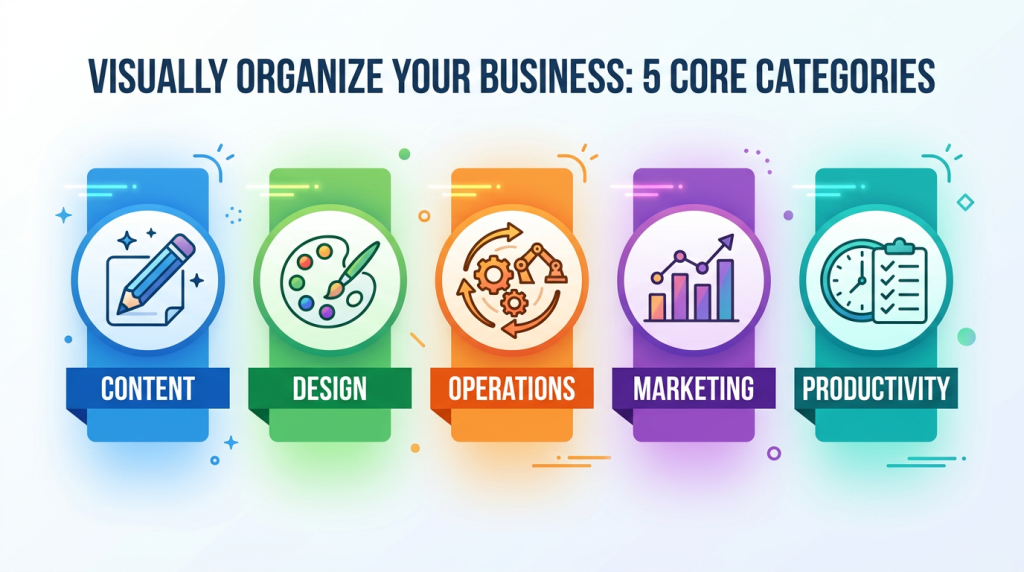
I’ve organized these 10 tools into 5 business functions. You don’t need every tool. You need the right tools for how you work.
| Category | Tools |
|---|---|
| Content Creation & Repurposing | ChatGPT, Opus Clip |
| Design & Branding | Canva, Midjourney/DALL-E |
| Operations & Automation | Zapier, Make |
| Marketing & Sales | MailerLite, HubSpot |
| Productivity & Research | Notion, Perplexity AI |
Category 1: Content Creation & Repurposing
Tool #1: ChatGPT
What it does:
ChatGPT is a conversational AI that can write, brainstorm, research, and strategize across virtually any business function.
Key Use Case:
Pricing:
Why It’s Essential for 2026:
ChatGPT is the Swiss Army knife of AI tools. It’s not just a writer—it’s a creative partner, researcher, and strategist. The free tier alone replaces hours of manual work each week. No other tool offers this breadth of functionality at this price point.
Pro Tip: The best results come from detailed prompts. Instead of “write a social post,” try: “Write a LinkedIn post announcing my new [product]. Target audience is [audience]. Keep it conversational. Include 3 benefits and a call to action to [link].”
Tool #2: Opus Clip
What it does:
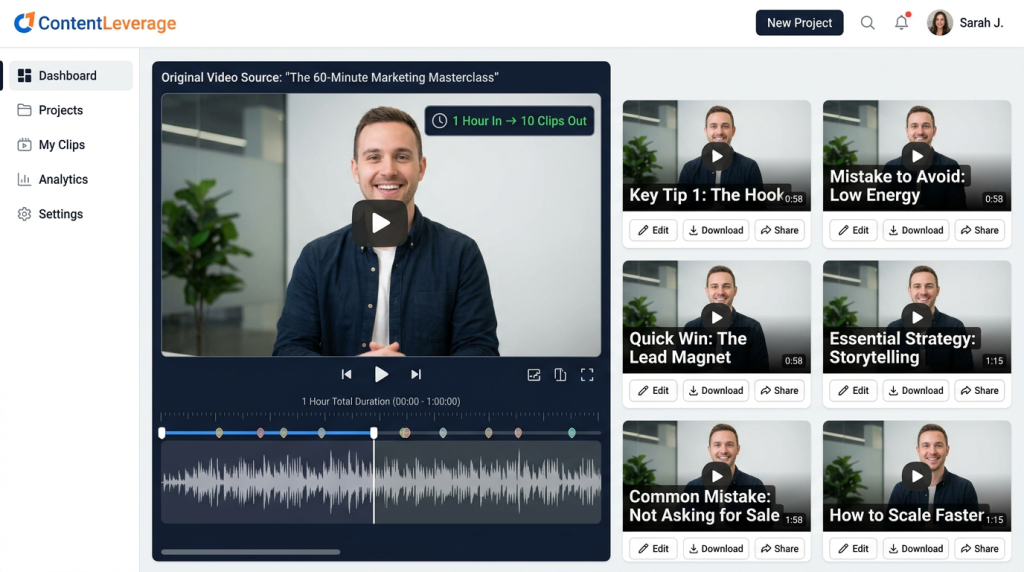
Opus Clip automatically repurposes long-form video (YouTube, webinars, Zoom recordings) into short, viral-ready clips for TikTok, Instagram Reels, and YouTube Shorts.
Key Use Case:
Pricing:
Why It’s Essential for 2026:
Video is the dominant content format. But editing video is time-consuming. Opus Clip automates the hardest part—finding the best moments and turning them into platform-ready clips. One hour of recording becomes weeks of content.
Pro Tip: Record one “pillar” video per week (a tutorial, behind-the-scenes, or educational piece). Run it through Opus Clip. Schedule the resulting clips across your social platforms for the next 7 days. Content done.
Category 2: Design & Branding
Tool #3: Canva (with Magic Studio AI)
What it does:
Canva is a design platform that now includes powerful AI features under “Magic Studio”—text-to-image generation, AI-powered design suggestions, and automated layout creation.
Key Use Case:
Pricing:
Why It’s Essential for 2026:
Canva has transformed from a simple design tool into a complete AI-powered creative suite. The free tier is powerful enough for most entrepreneurs. The AI features let non-designers create professional visuals in minutes.
Pro Tip: Use Canva’s “Magic Design” feature. Upload a photo or describe your brand, and Canva generates a full set of branded templates automatically.
Tool #4: Midjourney or DALL-E
What it does:
AI image generation tools that create custom visuals from text descriptions. Midjourney produces highly artistic, stylized images. DALL-E (available through ChatGPT Plus or OpenAI) excels at realistic and specific compositions.
Key Use Case:
Pricing:
Why It’s Essential for 2026:
Stock photography is generic and expensive. Custom AI images give your brand a unique look, cost pennies per image, and eliminate the “same stock photo as everyone else” problem.
Pro Tip: For Midjourney, use reference images and detailed prompts. Instead of “a laptop on a desk,” try: “A minimalist wooden desk with a glowing MacBook, morning light streaming through window, coffee mug, plant, 4k, professional photography style, warm tones.”
Category 3: Operations & Automation
Tool #5: Zapier
What it does:
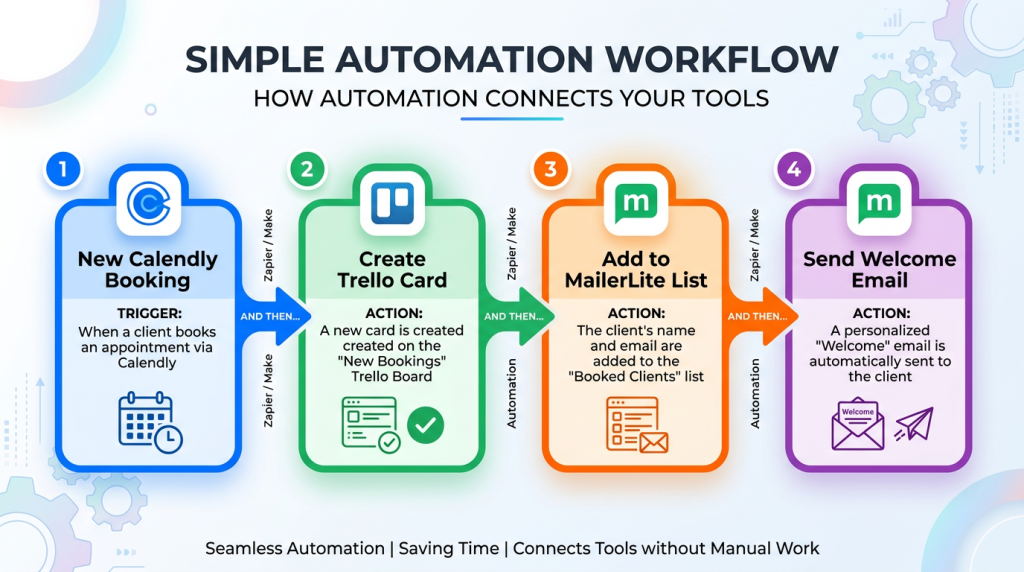
Zapier connects your apps and automates workflows without code. Create “Zaps” that trigger actions across your tool stack.
Key Use Case:
Pricing:
Why It’s Essential for 2026:
Zapier is the glue that holds your tech stack together. The free tier alone can eliminate hours of manual data entry each week. New AI features let you describe automations in plain language instead of configuring them manually.
Pro Tip: Start with one simple automation: “When I get a new email subscriber, add them to a Google Sheet.” Master that, then add another.
Tool #6: Make (formerly Integromat)
What it does:
Make is a visual automation platform similar to Zapier but with more advanced workflow capabilities, including conditional logic, data manipulation, and complex multi-step scenarios.
Key Use Case:
Pricing:
Why It’s Essential for 2026:
Make is often the better choice for entrepreneurs who need more than simple “trigger and action” automations. The visual interface makes complex workflows easier to understand and maintain. The free tier is generous.
Pro Tip: Use Make for workflows that need conditional logic. Example: “If form response includes ‘interested in coaching,’ add to coaching list. If ‘interested in course,’ add to course list.”
Category 4: Marketing & Sales
Tool #7: MailerLite
What it does:
MailerLite is an email marketing platform with built-in AI tools for subject line generation, content writing, and send time optimization.
Key Use Case:
Pricing:
Why It’s Essential for 2026:
Email remains the highest-ROI marketing channel. MailerLite’s free tier lets you build your list and automate sequences without cost until you scale. The AI features help non-writers create effective campaigns quickly.
Pro Tip: Set up a 5-email welcome sequence on day one. Write it once with AI assistance. It runs automatically for every new subscriber forever.
Tool #8: HubSpot (Free CRM)
What it does:
HubSpot’s free CRM provides enterprise-grade customer relationship management with AI-powered features for lead scoring, email drafting, and meeting scheduling.
Key Use Case:
Pricing:
Why It’s Essential for 2026:
Most entrepreneurs outgrow spreadsheets for lead tracking within their first few clients. HubSpot’s free tier provides professional CRM capabilities without cost. The AI features help solo entrepreneurs manage relationships like a larger team.
Pro Tip: Connect HubSpot to your email. Every email conversation with leads and clients is automatically logged. No manual data entry.
Category 5: Productivity & Research
Tool #9: Notion (with AI)
What it does:
Notion is an all-in-one workspace for notes, docs, databases, and project management. The AI add-on provides writing assistance, summarization, and content generation within your workspace.
Key Use Case:
Pricing:
Why It’s Essential for 2026:
Notion replaces multiple tools (Evernote, Trello, spreadsheets) with one organized system. The AI add-on helps you write, summarize, and organize faster. For entrepreneurs, a clean Notion setup is like having a second brain.
Pro Tip: Create a “Business Operations” page with databases for projects, clients, content, and finances. Link related items so everything is connected. Use AI to summarize meeting notes and action items.
Tool #10: Perplexity AI
What it does:
Perplexity is an AI-powered research and search engine that provides cited answers from across the web. Unlike ChatGPT, it shows you where the information comes from.
Key Use Case:
Pricing:
Why It’s Essential for 2026:
ChatGPT is great for creative work, but its information can be outdated or unsourced. Perplexity provides verifiable, current information with citations. For entrepreneurs making business decisions based on research, this is non-negotiable.
Pro Tip: Use Perplexity for market research. Prompt: “What are the top trends in [industry] for 2026? Include sources from the last 3 months.” You’ll get a cited answer you can trust.
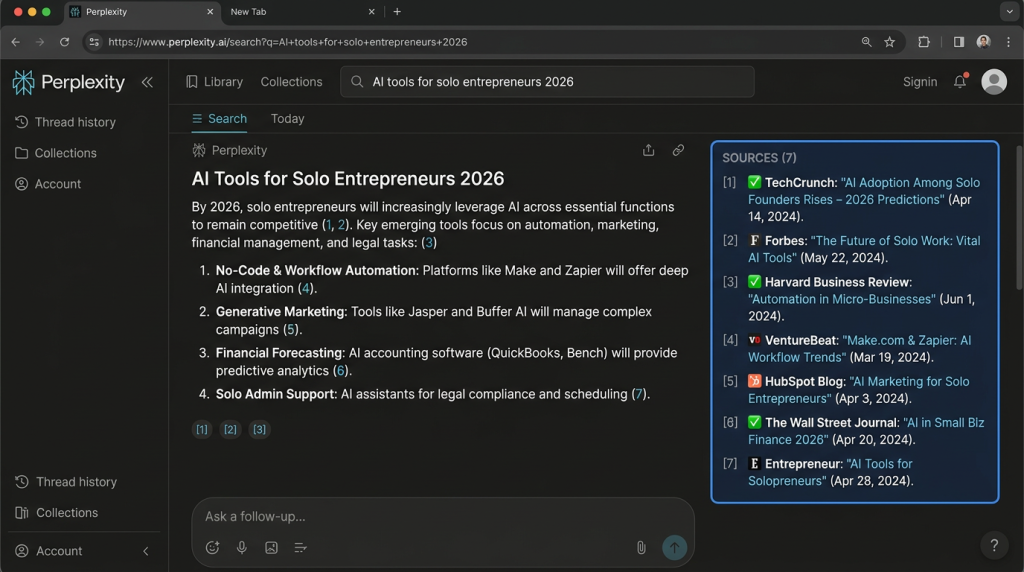
The AI Tool Stack Summary Table
Here’s your quick-reference guide. Bookmark this.
| Tool | Category | Free Tier | Best For |
|---|---|---|---|
| ChatGPT | Content | ✅ | Versatile writing & brainstorming |
| Opus Clip | Content | ✅ | Video repurposing |
| Canva | Design | ✅ | Visual creation & AI design |
| Midjourney/DALL-E | Design | ❌ | Custom AI image generation |
| Zapier | Operations | ✅ | Simple app automation |
| Make | Operations | ✅ | Complex workflows & logic |
| MailerLite | Marketing | ✅ | Email marketing & sequences |
| HubSpot | Marketing | ✅ | CRM & lead tracking |
| Notion | Productivity | ✅ | Business organization & SOPs |
| Perplexity | Productivity | ✅ | Cited research & market intel |
How to Start Using These Tools (Without Overwhelm)
You don’t need to implement all 10 tools this week. Here’s a realistic 4-week adoption plan.
| Week | Focus | Action |
|---|---|---|
| Week 1 | Content & Design | Pick ONE: ChatGPT or Canva. Spend 2 hours learning its features. Use it for 3 real business tasks. |
| Week 2 | Operations & Marketing | Pick ONE: Zapier (simple automation) or MailerLite (email sequence). Set up one workflow. |
| Week 3 | Productivity | Set up Notion. Create one system—content calendar, client tracker, or SOP database. |
| Week 4 | Advanced Tools | Add one advanced tool: Opus Clip (video repurposing), Midjourney (images), or Perplexity (research). |
Result: By Day 30, you have a complete AI tool stack that saves you 10–20 hours per week.
The “Too Many Tools” Objection
I hear this constantly: “I don’t want to manage 10 different subscriptions. I’ll get overwhelmed.”
Here’s the truth: you don’t need to use all 10. You need the right 5 for your business.
The goal isn’t using every tool. The goal is having the right tool for each job.
Remember: A carpenter doesn’t use every tool in the box on every project. Neither should you.
You now have 10 essential AI tools, a summary table, and a 4-week adoption plan. You know which tools fit your business and how to start without overwhelm.
But knowing the tools and actually implementing them into your daily workflow are two different things. That’s why I created a resource to guide you through the setup.
Get Your Free AI Tool Stack Blueprint (Benefit-Focused)
Problem Recap: You know AI is essential for your online business in 2026, but you’re overwhelmed by the hundreds of tools launching every week. You’re wasting hours testing tools that don’t deliver and falling behind competitors who have figured out their stack.
Solution: I’ve created a free AI Tool Stack Blueprint that takes this list and turns it into a done-with-you system. Inside, you’ll get:
This isn’t just a list. It’s a system to actually implement these tools into your business.
Action: Every week you spend using manual processes is a week your competitors are using AI to outpace you. Click the button below, grab your free Blueprint, and start building your AI tool stack today.
[Get Your Free AI Tool Stack Blueprint →]
P.S.
Here’s the truth about AI tools: the entrepreneurs who win in 2026 won’t be the ones with the most tools. They’ll be the ones with the right tools—and a system to use them consistently. The Blueprint gives you both. Grab it, pick your first tool from the list, and set it up tonight. Your future self will thank you.
You don’t need every AI tool. You need the right 10—and a plan to use them.
Aslam Ssonko