


You’ve heard the stories. Someone launches a digital product, and sales keep coming in while they’re sleeping, traveling, or living their life. You dream of that kind of freedom. But when you look up “how to automate your business,” you find articles about APIs, Python scripts, complex integrations, and tools with dashboards that look like airplane cockpits.
So you assume automation isn’t for you. That’s for “tech people.” That’s for entrepreneurs with big teams and bigger budgets. You go back to doing everything manually—posting, emailing, delivering files, chasing payments—and you stay exhausted.
Here’s what staying in the “manual everything” mindset actually costs you: burnout, limited growth, and never truly owning your time.
What if I told you that automation for beginners isn’t about coding or complex systems? It’s about one simple idea: set it up once, let it run, collect the results.
I’ve helped hundreds of complete beginners—people who didn’t know the difference between a landing page and a lead magnet—set up their first automated businesses in under 7 days. No code. No tech headaches. Just simple tools that work.
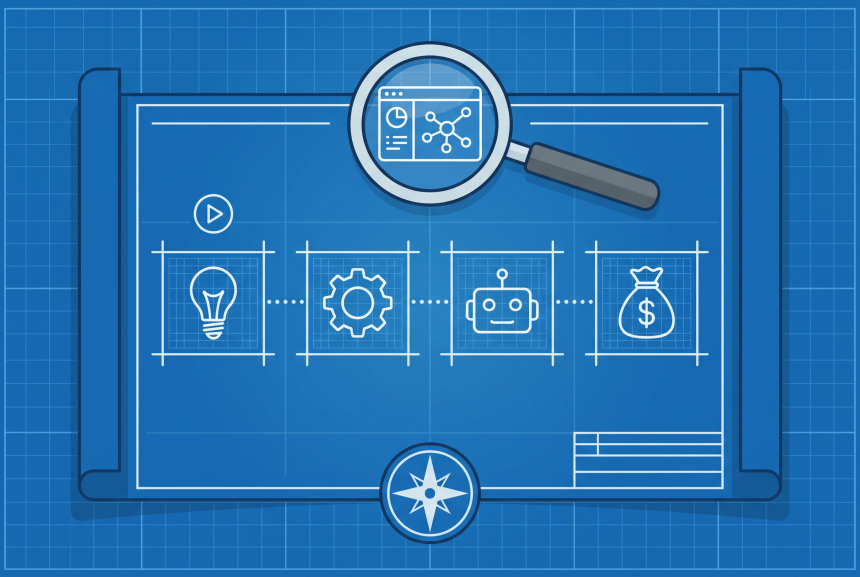
In this post, I’m going to give you the exact blueprint I use. By the time you finish reading, you’ll know exactly how to build a business that works for you—not the other way around.

Soft Gate: Get Your Automation Starter Kit
Before we dive into the blueprint, I want to give you a tool that makes this immediately actionable. I’ve created a free Automation Starter Kit that includes the 7-day checklist, a list of free tools with step-by-step setup guides, and a template for the 3-email welcome sequence I’ll show you later.
It’s the exact system I’ve used to help beginners go from manual chaos to automated income.
[Click here to grab your free Automation Starter Kit.]
What Automation Actually Means for Beginners
Let’s clear something up right now. When I say “automation,” I’m not talking about robots, AI coding, or complex engineering.
For beginners, automation means one thing: setting up simple tools so they handle repetitive tasks for you.
Think of it like this: you wouldn’t hand-deliver a letter to someone across the country. You’d put it in the mail. That’s automation. You set it up once, and the system delivers.
Here are the 3 types of automation beginners can use right now:
| Type | What It Does | Example |
|---|---|---|
| Marketing Automation | Captures leads and follows up automatically | A welcome email sequence that sends when someone subscribes |
| Sales Automation | Processes payments and delivers products instantly | Someone buys your ebook, gets the download link automatically |
| Operations Automation | Connects tools so data flows without manual entry | A buyer automatically added to your “customers” email list |
The best part? Every single one of these can be set up with free tools and zero code. You just need to know which tools to use and how to connect them.
The 5-Step Automation Blueprint
Here’s the entire blueprint in five steps. Follow these in order, and you’ll have a business that runs on autopilot.
Step 1: Choose One Automated Business Model
Not all business models are equally easy to automate. For beginners, stick to one of these three:
| Model | How It Works | Why It Automates Easily |
|---|---|---|
| Digital Product Store | Create a template, ebook, printable, or prompt pack once; sell it forever | Payment and delivery happen automatically through platforms like Gumroad |
| Affiliate Content Site | Create content (blog, YouTube, social) with affiliate links; earn commissions when people buy | Content works 24/7; commissions track automatically through affiliate networks |
| Done-for-You Micro-Offer | A simple service with automated delivery (e.g., an automated report, personalized template, or audit) | Use Typeform for intake, Zapier to deliver the custom result |
Your move: Pick one model. Don’t overthink it. The digital product store is the fastest path for most beginners.
Step 2: Set Up Your “Forever” Landing Page
You don’t need a fancy website. You need one page with one goal.
Free tools to use:
The rule: One page. One offer. One call to action. That’s all you need to start.
Step 3: Automate Your Lead Capture
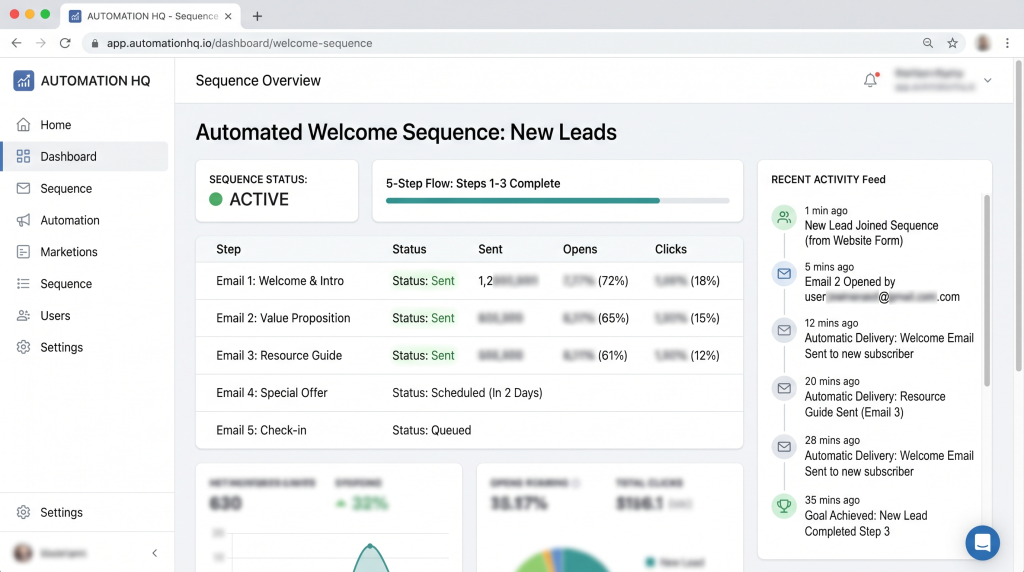
If you’re collecting emails, set up a welcome sequence that runs automatically. This is where most beginners get stuck—but it’s surprisingly simple.
Using a free email tool like MailerLite or Brevo:
1. Create a signup form and add it to your landing page
2. Create a 3-email welcome sequence:
| Purpose | Content | |
|---|---|---|
| Email 1 | Deliver what you promised, set expectations | “Here’s your free [lead magnet]. Next, I’ll send you tips on [topic].” |
| Email 2 | Share value, build connection | A story about why you created this, plus one actionable tip |
| Email 3 | Soft pitch your offer | “If you’re ready to go deeper, here’s [product]. No pressure.” |
Once this sequence is set up, every new subscriber gets these emails automatically. Forever.
Step 4: Automate Your Sales & Delivery
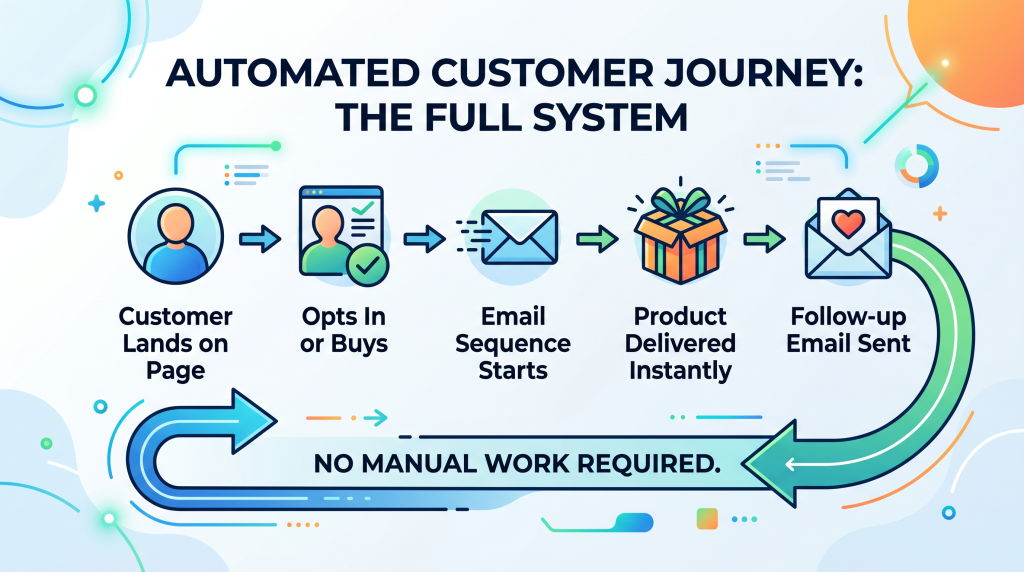
This is the magic moment. You set up a system where someone pays, and your product is delivered instantly—without you touching anything.
For digital products: Use Gumroad, Stan, or Payhip.
For services: Use Calendly to let people book time with you, and Stripe to collect payment upfront.
Your job: Set it up once. Test it by buying your own product. Confirm the delivery email arrives. That’s it.
Step 5: Connect the Dots with Free Automation Tools
Now you can connect everything so your tools talk to each other. This is optional for your first business, but it’s where the “set it and forget it” magic happens.
Use Zapier (free tier) or Make (free tier) to create simple connections:
Beginner tip: Start with just one automation. You don’t need to connect everything at once.
The “No Tech” Tool Stack for Beginners
You don’t need a budget. You need these free tools.
| Function | Tool | Free Tier Details |
|---|---|---|
| Landing Page | Carrd | Free for one site, beautiful templates |
| Email Marketing | MailerLite | Free up to 1,000 subscribers |
| Payment & Delivery | Gumroad | Free to start, takes 8–10% per sale |
| Automation | Zapier | Free for 100 tasks/month |
| Content & AI | ChatGPT, Canva AI | Free tiers available |
Total monthly cost before your first sale: $0.
Once you make sales, you can decide if upgrading tools makes sense. But you can launch and test everything for free.
The “Set It and Forget It” Content Engine
The other side of automation is content. You don’t need to post every day. You need to create content that works forever.
Here’s how to build an automated content engine:
1. Create one pillar piece: A blog post, YouTube video, or long-form guide that teaches something valuable.
2. Repurpose with AI: Use ChatGPT to turn that blog post into 5–10 social media posts, a thread, and an email sequence.
3. Schedule for free: Use Buffer or Later to schedule social posts weeks in advance.
4. Set up evergreen email: Add your welcome sequence to promote the pillar content to new subscribers automatically.
The math: 10 hours of creation → months of automated traffic.
You don’t need to be “always on.” You just need to create once and let the systems do the rest.
The Automation Mindset Shift
There’s a mental block that stops many beginners from automating: the fear that automated feels impersonal.
“If I use automated emails, won’t people feel like I don’t care?”
Let me reframe this for you. When a customer buys your product at 2:00 AM, they don’t want to wait for you to wake up and send the file. They want it now. Automation gives them that.
When someone subscribes to your list, they don’t want to wait a week for a welcome email. They want to know you’re reliable. Automation ensures they get your best message immediately.
Automation doesn’t replace human connection. It ensures every customer gets your best, every time.
Think of it like a vending machine. No one thinks a vending machine is “cold” because it doesn’t hand-deliver the candy bar. They’re just glad it works when they’re hungry at 11:00 PM.
The “What If Something Breaks?” Objection
“What if the tools stop working? What if I set it up wrong and nothing happens?”
This fear keeps more people stuck than any technical barrier. Let me reassure you:
1. Start simple. You don’t need a complex system. One landing page, one email sequence, one product. That’s three pieces. If something breaks, you have three places to check.
2. Test everything yourself. Before you tell anyone about your business, buy your own product. Subscribe to your own email list. You’ll catch 99% of issues before a customer ever sees them.
3. Use tools millions of beginners use. Gumroad, MailerLite, Carrd—these platforms are designed for non-technical people. They have help docs, customer support, and simple interfaces.
4. Nothing is permanent. If a tool stops working, you can switch. Your business isn’t fragile. It’s flexible.
The risk of trying is small. The cost of staying manual is burnout.
You don’t need to automate everything. You just need to automate something that frees up your time.
Aslam Ssonko
The 7-Day Automation Launch Plan
Here’s your exact roadmap. One thing each day. In one week, you’ll have a business that runs on autopilot.
| Day | Action | Time Needed |
|---|---|---|
| Day 1 | Choose your automated business model (digital product, affiliate, or micro-offer) | 30 min |
| Day 2 | Create your product (if digital) or choose your affiliate offer | 2–3 hours |
| Day 3 | Build one simple landing page (use Carrd or Gumroad) | 1 hour |
| Day 4 | Set up a 3-email welcome sequence in MailerLite or Brevo | 1–2 hours |
| Day 5 | Connect payment and delivery (Gumroad or Stan) | 30 min |
| Day 6 | Test everything—buy your own product, check emails, verify delivery | 30 min |
| Day 7 | Launch to your network and let the automation run | 30 min |
That’s it. Seven days from zero to automated income.
You now have the blueprint: choose an automated model, set up a simple landing page, automate lead capture and delivery, connect your tools, and launch in 7 days. You have the free tool stack. You have the day-by-day plan.
But I know that reading a blueprint and executing it are two different things. It’s easy to get distracted, overwhelmed, or stuck on a setup question. That’s why I created a resource to guide you through every step.
Get Your Free Automation Starter Kit (Benefit-Focused)
Problem Recap: You’ve been dreaming of passive income, but you believed automation was too technical, too expensive, or only for “real” businesses. So you stayed manual, stayed stuck, and stayed exhausted.
Solution: I’ve created a free Automation Starter Kit that takes this entire blueprint and turns it into a done-with-you system. Inside, you’ll get:
This isn’t theory. It’s the exact system I’ve used to help beginners launch their first automated businesses in days, not months.
Action: Stop doing everything manually. Click the button below, grab your Starter Kit, and start Day 1 today.
[Get Your Free Automation Starter Kit →]
P.S.
Here’s the truth about automation: every day you spend doing manual tasks—manually sending files, manually following up, manually posting—is a day you could have spent building systems that work for you while you sleep. The 7-day plan is free. The tools are free. The only thing standing between you and a business that runs on autopilot is starting. Go grab your Starter Kit and take Day 1 action tonight.