


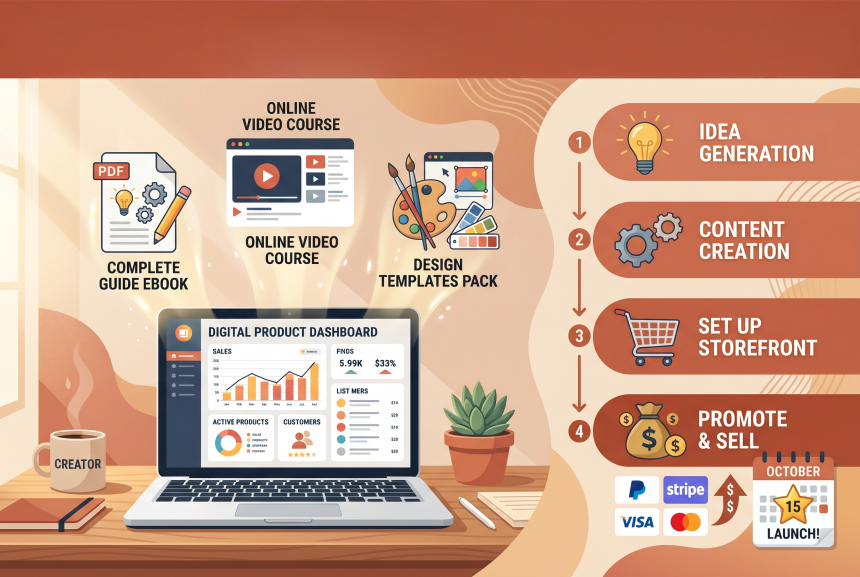
You’ve heard you can make money selling digital products. Ebooks, templates, printables—things you create once and sell forever. Passive income. Freedom. Sounds amazing, right?
But you have no idea where to start.
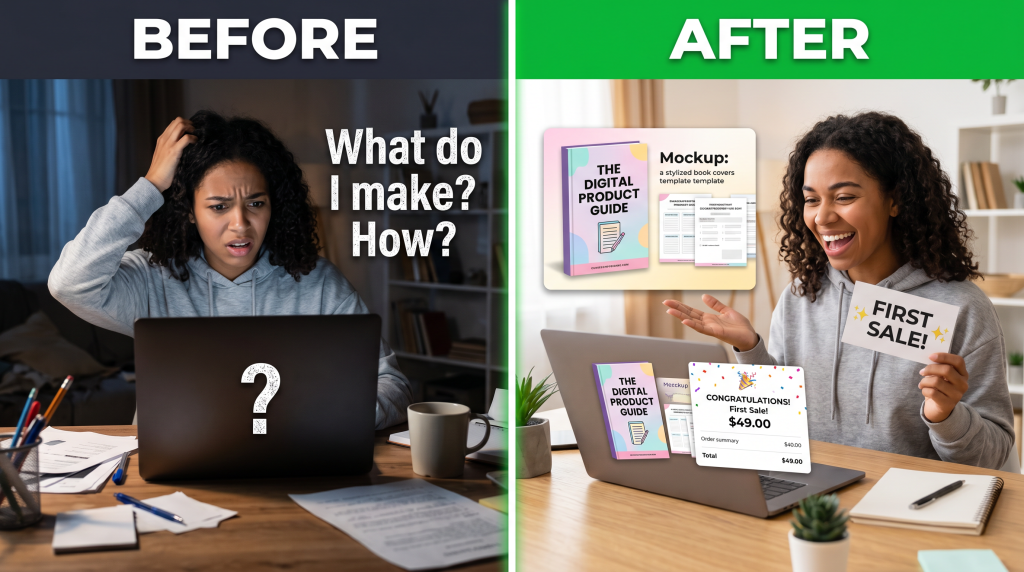
What should you make? How do you create it? Do you need to be a designer? A writer? A tech expert? You’re stuck before you even begin.
I was exactly where you are. I had no design skills. No writing experience. No idea what people would buy. Then I discovered something simple: digital products are easier to create than you think.
In this guide, I’m going to walk you through exactly how to create and sell your first digital product. No design skills needed. No writing experience required. No expensive tools. Just a simple, step-by-step process anyone can follow.
By the end, you’ll have a clear plan to go from idea to your first sale—and you can start this weekend.
Soft Gate: Get Your Digital Product Starter Kit
Before we dive into the steps, I want to give you a tool that makes this journey easier. I’ve created a free Digital Product Starter Kit that includes the 30-day plan, product ideas list, Canva templates, and Gumroad setup guide.
It’s the exact system I used to create my first digital product.
[Click here to grab your free Digital Product Starter Kit.]
What Are Digital Products? (Plain English)
Let’s start with the basics.
Digital products are things people can download. You create them once, sell them forever.
Types of Digital Products (Best for Beginners):
| Type | What It Is | Price Range | Time to Create |
|---|---|---|---|
| PDF Guide | Step-by-step instructions | $7–$27 | 2–4 hours |
| Checklist | Simple list of steps | $5–$15 | 1–2 hours |
| Template Pack | Canva templates, spreadsheets | $10–$37 | 2–3 hours |
| Prompt Pack | ChatGPT prompts for a niche | $7–$27 | 1–2 hours |
| Printable Planner | Planners, trackers, journals | $7–$19 | 2–3 hours |
| Mini-Course | Short video or email course | $27–$97 | 3–5 hours |
Why Digital Products Are Perfect for Beginners:
Step 1: Choose Your First Product Idea
How to Find a Winning Idea:
| Method | How to Do It |
|---|---|
| Ask ChatGPT | “Give me 20 digital product ideas for [your niche] beginners would buy” |
| Solve Your Own Problem | What do you wish existed when you started? |
| Check Facebook Groups | What questions do people ask repeatedly? |
| Browse Etsy/Gumroad | What’s selling well in your niche? |
Good Beginner Product Ideas:
| Niche | Product Idea |
|---|---|
| Social Media | Instagram caption templates, content calendar |
| Business | Business plan template, expense tracker |
| Parenting | Potty training chart, meal planner |
| Fitness | Workout tracker, meal prep guide |
| Writing | ChatGPT prompt pack, content ideas list |
| Design | Canva templates, brand kit worksheet |
Your Task: Pick ONE product idea. Don’t overthink. Start simple.
Step 2: Create Your Digital Product (With Free Tools)
Tools You’ll Need (All Free):
| Tool | What It Does |
|---|---|
| Canva | Design your product (PDFs, templates, worksheets) |
| ChatGPT | Write your content |
| Google Docs | Draft your content (optional) |
How to Create a PDF Guide (2–4 Hours):
| Step | Action | Tool |
|---|---|---|
| 1 | Ask ChatGPT for an outline: “Create an outline for a guide on [topic]” | ChatGPT |
| 2 | Ask ChatGPT to write each section: “Write section 1 of the guide…” | ChatGPT |
| 3 | Copy content into Canva or Google Docs | Canva/Docs |
| 4 | Add images, graphics, formatting | Canva |
| 5 | Download as PDF | Canva |
How to Create a Template Pack (2–3 Hours):
| Step | Action | Tool |
|---|---|---|
| 1 | Ask ChatGPT: “Give me 10 template ideas for [niche]” | ChatGPT |
| 2 | Open Canva, search for template type | Canva |
| 3 | Customize each template with your content | Canva |
| 4 | Duplicate for each template in your pack | Canva |
| 5 | Download as PDF or shareable Canva link | Canva |
How to Create a Prompt Pack (1–2 Hours):
| Step | Action | Tool |
|---|---|---|
| 1 | Ask ChatGPT: “Give me 50 [niche] prompts for ChatGPT” | ChatGPT |
| 2 | Format prompts in Google Docs or Canva | Docs/Canva |
| 3 | Add cover page and instructions | Canva |
| 4 | Download as PDF | Canva |
Your Task: Spend 2–3 hours this weekend creating your first product.
Step 3: Create Your Product Cover
Why Cover Matters:
People judge a product by its cover. A good cover = more sales.
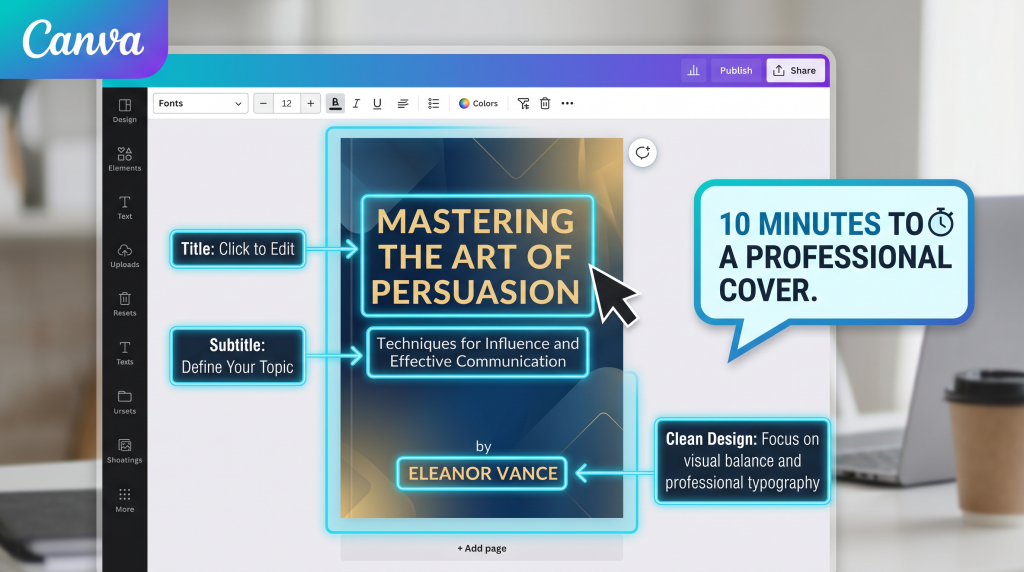
How to Create a Cover in Canva (10 Minutes):
| Step | Action |
|---|---|
| 1 | Open Canva, search for “ebook cover” or “digital product cover” |
| 2 | Choose a template you like |
| 3 | Add your title, subtitle, and name |
| 4 | Use AI: “Magic Design” can generate options |
| 5 | Download as JPG/PNG |
Cover Best Practices:
Your Task: Create your product cover in Canva today.
Step 4: Set Up Your Store (Where to Sell)
Best Platforms for Beginners (All Free to Start):
| Platform | What It Does | Fees |
|---|---|---|
| Gumroad | Simple store, instant setup | 10% transaction fee |
| Stan Store | Link-in-bio store, simple | Free tier available |
| Etsy | Marketplace with built-in traffic | Listing + transaction fees |
| Payhip | Simple store, EU VAT handling | 5% transaction fee |
Recommended Starting Point: Gumroad
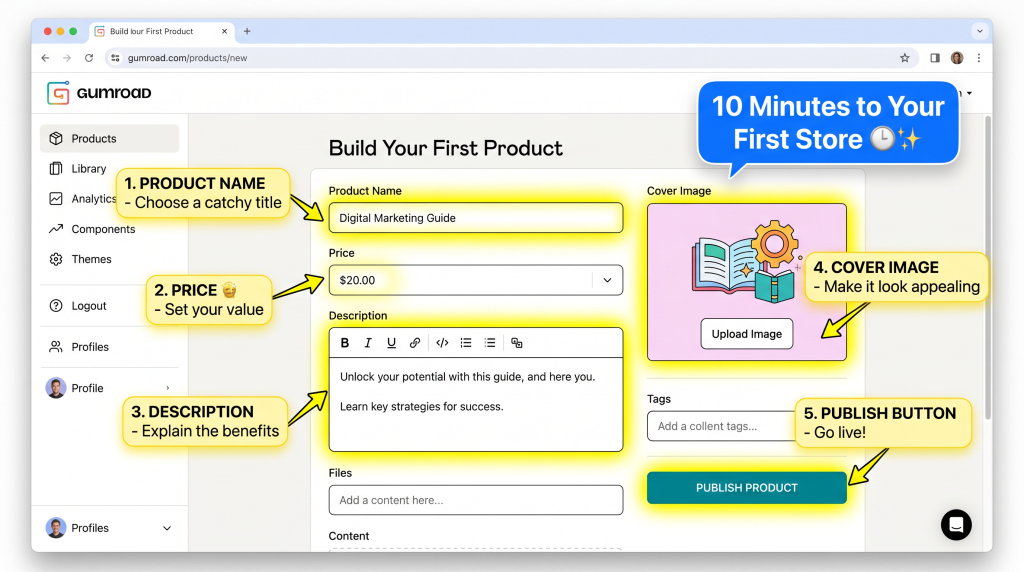
How to Set Up Gumroad (10 Minutes):
| Step | Action |
|---|---|
| 1 | Go to Gumroad.com, sign up for free |
| 2 | Click “Add a product” |
| 3 | Upload your PDF file |
| 4 | Add title, price, description |
| 5 | Upload your cover image |
| 6 | Click “Publish” |
Your Task: Set up your Gumroad store today. It takes 10 minutes.
Step 5: Price Your Digital Product
Pricing Guidelines for Beginners:
| Product Type | Price Range |
|---|---|
| Simple checklist or worksheet | $5–$10 |
| PDF guide or ebook | $10–$20 |
| Template pack | $15–$30 |
| Prompt pack | $10–$20 |
| Printable planner | $7–$15 |
| Mini-course | $27–$47 |
Pricing Strategy:
Your Task: Set your price. Start at the lower end of the range.
Step 6: Get Your First Sale
How to Get Your First Sale (Free Methods):
| Method | How to Do It |
|---|---|
| Tell Friends & Family | “I just created [product]. Would love your support!” |
| Share on Social Media | Post your cover image. Tell people what problem it solves. |
| Join Facebook Groups | Find groups in your niche. Share your product (follow rules). |
| Offer a Discount | “Launch special: 50% off for first 10 buyers” |
| Pin on Pinterest | Create a pin with your cover image. Link to your product. |
Your First Sale Script:
“I just created [product] to help [audience] solve [problem]. If you know anyone who struggles with [problem], I’d love your support. Here’s the link: [link]”
Realistic Expectations:
Your Task: Share your product with 5 people today.
Step 7: Create Your Next Product
The Product Ladder:
| Product | Purpose |
|---|---|
| Low-Price ($7–$27) | First purchase, builds trust |
| Mid-Price ($27–$97) | Main offer, solves bigger problem |
| High-Price ($97–$297) | Premium offer, comprehensive solution |
Start with ONE low-price product.
Your Task: After your first sale, plan your next product.
The 30-Day Digital Product Launch Plan
| Week | Focus | Action |
|---|---|---|
| Week 1 | Choose Idea + Create Product | Pick idea, create product (2–4 hours) |
| Week 2 | Create Cover + Set Up Store | Design cover, set up Gumroad (1 hour) |
| Week 3 | Price + Share | Set price, share with 5–10 people |
| Week 4 | Get First Sale + Plan Next | Get sale, gather feedback, plan next product |
| Result | First Digital Product Sale | First passive income |
The “I’m Not a Designer” Objection
This is the #1 thing that stops beginners. Let me address it directly.
You don’t need to be a designer.
Reframe: “Your product doesn’t need to look perfect. It needs to solve a problem. Start simple. Improve later.”
Realistic Income Expectations
| Timeframe | Realistic Goal |
|---|---|
| First product (1 month) | $20–$100 |
| After 3 products | $100–$500/month |
| After 10 products | $500–$2,000/month |
| After 20+ products | $2,000–$10,000+/month |
The Math:
You now have a complete step-by-step guide: choose your idea, create your product, design your cover, set up your store, price it, get your first sale, and create your next product.
But reading the guide is one thing. Creating your first product this weekend is what starts your digital product business.
Get Your Free Digital Product Starter Kit (Benefit-Focused)
Problem Recap: You want to create digital products but don’t know what to make, how to make it, or how to sell it. You’ve been stuck in “research mode” for too long.
Solution: I’ve created a free Digital Product Starter Kit that takes this guide and turns it into a done-with-you system. Inside, you’ll get:
Action: Your first digital product is just 2–4 hours away. Pick an idea today. Create it this weekend. You’ll have something to sell by Monday. Click the button below, grab your free Starter Kit, and start creating.
[Get Your Free Digital Product Starter Kit →]
P.S.
Here’s the truth about digital products: you don’t need to be a designer. You don’t need technical skills. You just need one idea and the courage to start. Create your first product this week. Your first sale is waiting. Your Starter Kit is ready.
You don’t need to be a designer. You don’t need technical skills. You just need one idea and the courage to start. Create your first product this week.
Aslam Ssonko