


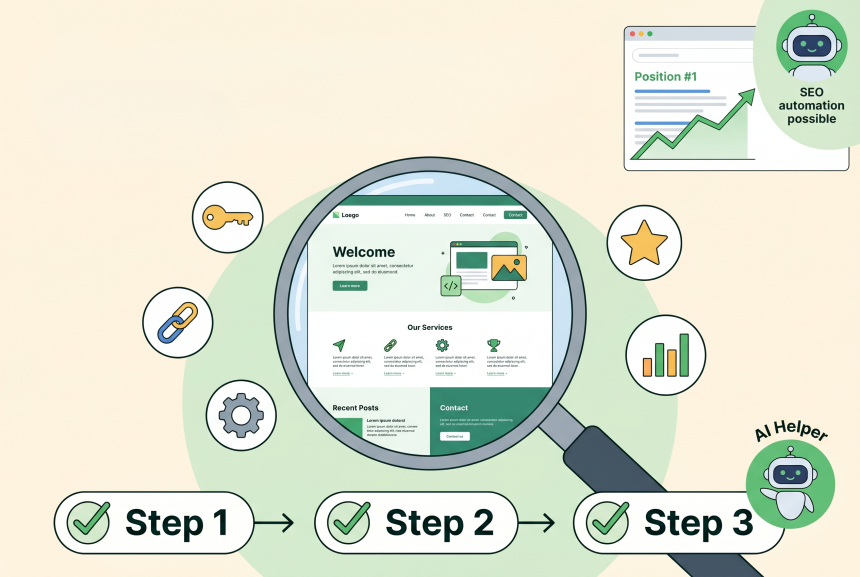
You built your website. You’re proud of it. It looks good, it explains what you do, and you’re ready to start making sales.
But nobody can find it.
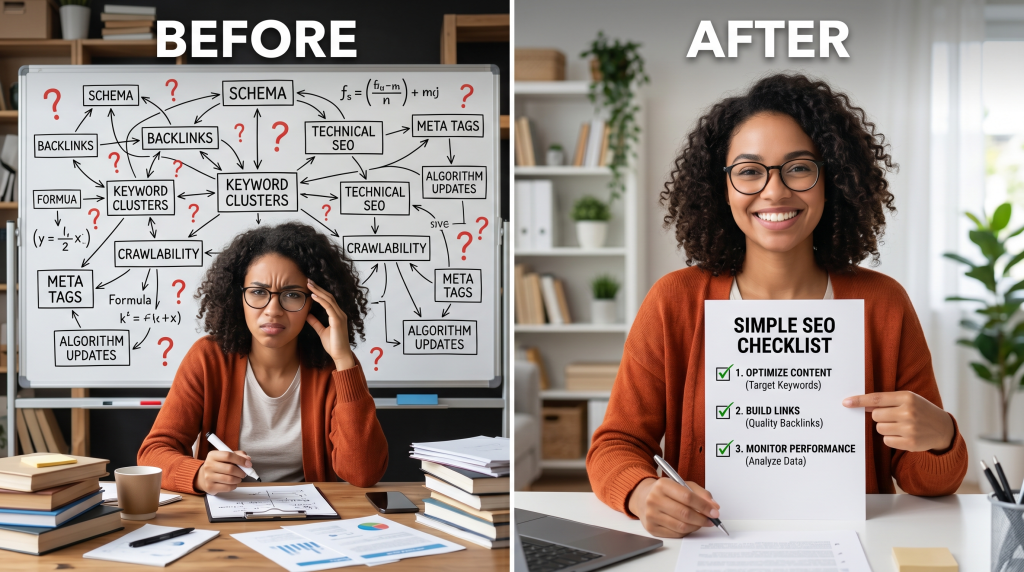
You’ve heard about SEO—search engine optimization. It’s supposed to help you show up on Google. But every guide you read is full of jargon: keywords, backlinks, metadata, SERPs, algorithms. You feel like you need a computer science degree to understand it.
So you close the tab. You tell yourself you’ll figure it out someday.
I was exactly where you are. I had no technical background. I didn’t know the difference between a keyword and a backlink. Then I discovered something simple: SEO is just about helping people find what they’re looking for.
In this guide, I’m going to walk you through SEO in plain English. No jargon. No technical complexity. Just simple, actionable steps you can implement today to start showing up on Google.
By the end, you’ll have a clear plan to get your first visitors from Google—without being a tech expert.
Soft Gate: Get Your Beginner’s SEO Playbook
Before we dive into the steps, I want to give you a tool that makes this journey easier. I’ve created a free Beginner’s SEO Playbook that includes the 30-day plan, keyword research guide, on-page SEO checklist, and Google Search Console setup guide.
It’s the exact system I used to grow my traffic from zero without being a tech expert.
[Click here to grab your free Beginner’s SEO Playbook.]
What Is SEO? (Plain English)
Let’s start with the basics.
SEO is how you help Google understand your website so it shows your pages to people searching for what you offer.
Think of It Like This:
The 3 Pillars of SEO:
| Pillar | What It Means | Example |
|---|---|---|
| 1. What you write (Content) | Create content people are searching for | A blog post about “how to start a blog” |
| 2. How you write it (On-Page) | Use keywords, structure, formatting | Putting “how to start a blog” in your title |
| 3. Who links to you (Authority) | Other websites linking to you | A popular blogger linking to your post |
The Good News:
Step 1: Choose Your Keywords (What People Search For)
What Are Keywords?
The words people type into Google when looking for something. For example: “how to start a blog” or “best coffee maker.”
How to Find Keywords (Beginner-Friendly):
| Method | How to Do It |
|---|---|
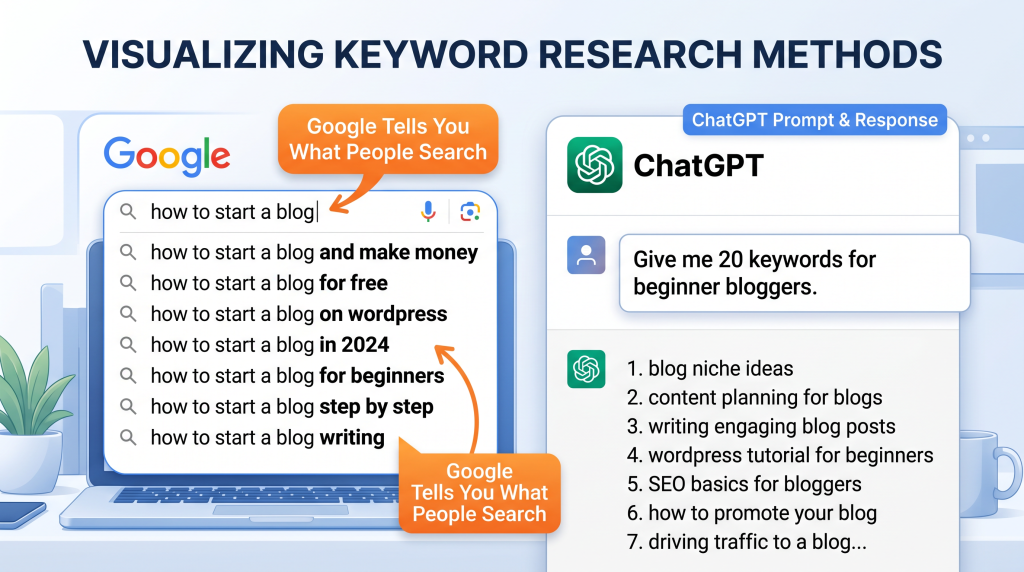
| Ask ChatGPT | “Give me 20 keywords for [your niche] that beginners search for” |
| Google Autocomplete | Start typing in Google; see what it suggests |
| People Also Ask | Scroll down on Google search results; see questions people ask |
| Answer the Public | Free tool that shows questions people ask |
Good Keywords for Beginners:
| Keyword Type | Example | Why It’s Good |
|---|---|---|
| Long-tail | “how to start a blog for beginners” | Specific, easier to rank |
| Question | “what is SEO and how does it work” | Matches how people search |
| Problem | “how to get more website traffic” | High intent, helpful content |
Your Task: Find 5 keywords for your business. Write them down.
Step 2: Create Content Around Your Keywords
One Keyword = One Page
Don’t try to rank for multiple keywords on one page. Pick one keyword per page. Google prefers focused content.
The Simple Content Formula:
| Section | What to Include |
|---|---|
| Headline | Put your keyword in the title |
| Introduction | Answer “what will they learn?” |
| Subheadings | Break content into sections (use related keywords) |
| Body | Answer the question thoroughly |
| Conclusion | Summarize and suggest next steps |
How Long Should Content Be?
| Topic | Recommended Length |
|---|---|
| Simple answer | 500–800 words |
| How-to guide | 1,000–1,500 words |
| Comprehensive guide | 1,500–2,500+ words |
Your Task: Pick one keyword. Write a 1,000-word article around it.
Step 3: Optimize Your Page (On-Page SEO)
The On-Page SEO Checklist:
| Element | How to Optimize |
|---|---|
| Title Tag | Put your keyword at the beginning |
| URL | Use your keyword (e.g., yoursite.com/keyword-phrase) |
| H1 (Main Heading) | Put your keyword in the main headline |
| H2 (Subheadings) | Use related keywords in subheadings |
| First Paragraph | Include your keyword in the first 100 words |
| Image Names | Use keyword in image file names (e.g., keyword.jpg) |
| Alt Text | Describe image using keyword |
| Internal Links | Link to other pages on your site |
Example:
If your keyword is “how to start a blog”:
Your Task: Apply this checklist to your article.
Step 4: Get Backlinks (Authority)
What Are Backlinks?
When another website links to your website. Google sees this as a vote of confidence. The more trusted sites link to you, the more Google trusts you.
Beginner-Friendly Ways to Get Backlinks:
| Method | How to Do It |
|---|---|
| Guest Posting | Write articles for other websites in your niche. Include a link back to your site. |
| Resource Lists | Find “best [topic] resources” posts. Suggest your site as a resource. |
| Answer Questions | Answer questions on Reddit, Quora. Link to your content when genuinely helpful. |
| Share Your Content | Share on social media. Others may discover and link to it. |
| Create Link-Worthy Content | Make guides, templates, tools people want to share. |
Quality > Quantity:
Your Task: Find 3 websites in your niche. Reach out about guest posting or suggesting your content.
Step 5: Track Your Progress
Free Tools to Track SEO:
| Tool | What It Does | Free? |
|---|---|---|
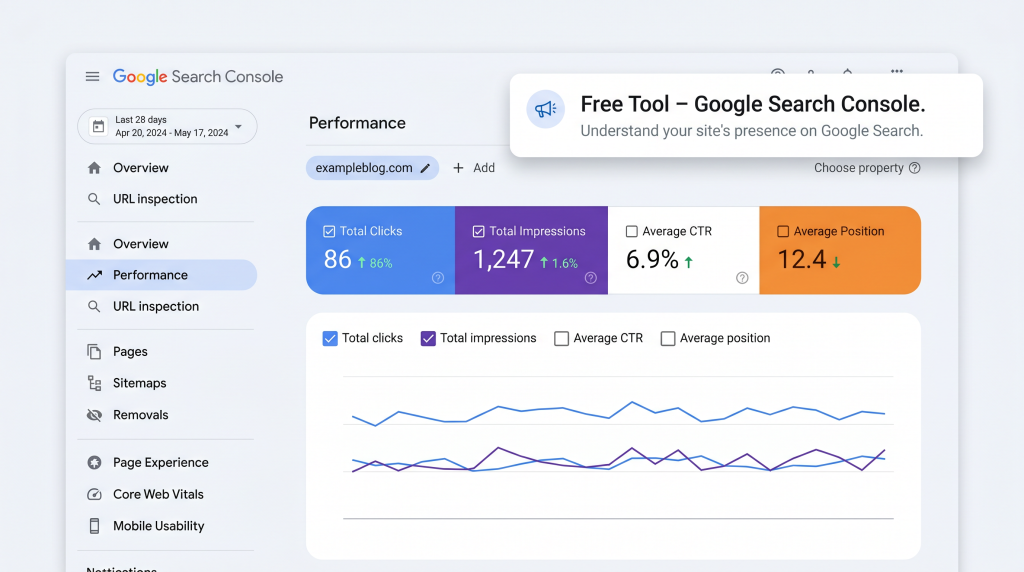
| Google Search Console | Shows which keywords you rank for, how many clicks, impressions | Free |
| Google Analytics | Shows how many visitors you get, where they come from | Free |
| Ubersuggest | Basic keyword tracking, competitor analysis | Free tier |
What to Track (As a Beginner):
| Metric | What It Means | Good Goal |
|---|---|---|
| Impressions | How many times you appeared in search results | Increasing month to month |
| Clicks | How many people clicked to your site | Increasing month to month |
| Average Position | Where you rank on Google (1 = first result) | 1–10 is page 1; 11–20 is page 2 |
Your Task: Set up Google Search Console today. It’s free and takes 10 minutes.
The Beginner’s SEO Timeline
What to Expect:
| Timeframe | What to Expect |
|---|---|
| 1–2 weeks | Google finds your pages (this is called crawling) |
| 1–3 months | Content starts ranking for less competitive keywords |
| 3–6 months | More keywords rank; traffic starts growing |
| 6–12 months | Consistent traffic; authority builds; compounding results |
The Truth About SEO:
Your 30-Day SEO Action Plan:
| Week | Focus | Action |
|---|---|---|
| Week 1 | Keyword Research | Find 5–10 keywords for your niche |
| Week 2 | Content Creation | Write one 1,000+ word article around your best keyword |
| Week 3 | On-Page SEO | Optimize your article using the checklist |
| Week 4 | Backlinks + Tracking | Reach out for 1–2 backlinks, set up Google Search Console |
| Result | First SEO Traffic | 1–3 months from now |
The “SEO Is Too Technical” Objection
This is the #1 thing that stops beginners. Let me address it directly.
SEO doesn’t require coding. It requires creating helpful content.
Reframe: “SEO is just helping people find what they’re looking for. Google rewards helpful content. Write for people, not algorithms.”
Realistic SEO Expectations
Let’s be honest about what you can expect as a beginner.
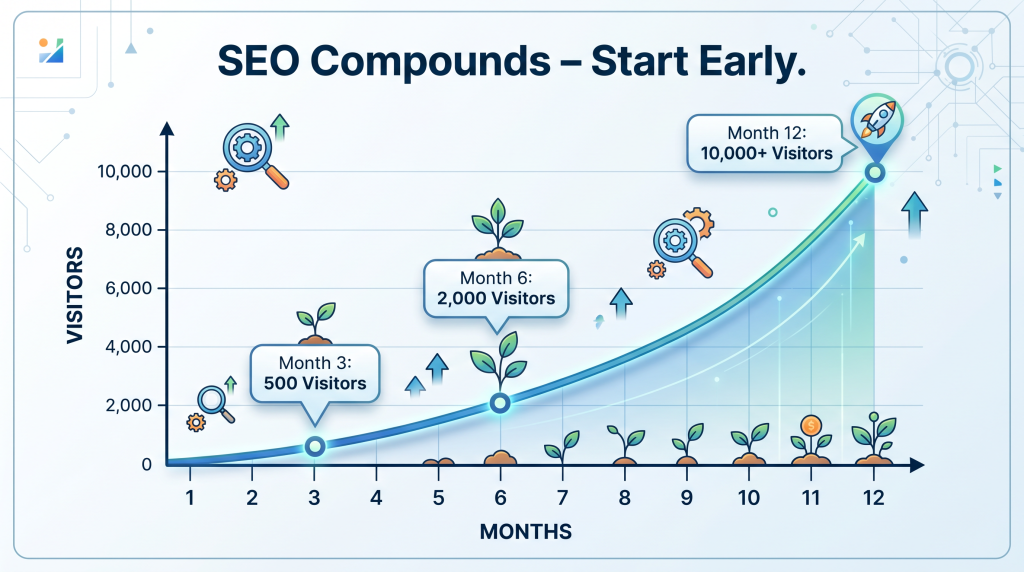
| Month | Realistic Traffic (New Site) |
|---|---|
| Month 1 | 0–50 visitors |
| Month 3 | 50–500 visitors |
| Month 6 | 500–2,000 visitors |
| Month 12 | 2,000–10,000+ visitors |
The Math:
Compound Effect: Each article adds to your traffic. Content you write today will still bring traffic years from now. Start early.
The “My Niche Is Too Competitive” Objection
You might think your niche is too crowded. Here’s the truth:
Every niche has opportunities for beginners.
Example: Instead of targeting “SEO,” target “SEO for complete beginners who have never built a website.” That’s a specific, underserved audience.
You now have a complete beginner’s guide to SEO: keywords, content, on-page optimization, backlinks, tracking, and a 30-day plan.
But reading the guide is one thing. Writing your first article this week is what starts your SEO journey.
Get Your Free Beginner’s SEO Playbook (Benefit-Focused)
Problem Recap: You’ve heard about SEO but find it overwhelming and technical. You want to get traffic from Google but don’t know where to start.
Solution: I’ve created a free Beginner’s SEO Playbook that takes this guide and turns it into a done-with-you system. Inside, you’ll get:
Action: Your first SEO article is just one week away. Find one keyword. Write one article. Optimize it. That’s how SEO starts. Click the button below, grab your free Playbook, and start ranking on Google.
[Get Your Free Beginner’s SEO Playbook →]
P.S.
Here’s the truth about SEO: it’s not about tricking Google. It’s about helping people find what they’re looking for. Write helpful content. Use clear keywords. Make it easy to read. The rest follows. Start today. Your first article is waiting.
SEO isn’t about tricking Google. It’s about helping people find what they’re looking for.Write helpful content. The rest follows.
Aslam Ssonko