



You want to start an online business. You’ve watched the videos, read the articles, saved the posts. But every time you get close to starting, you hit the same wall: “You have to spend money to make money.”
Tool after tool asks for your credit card. $29/month here. $49/month there. $99/month for the “pro” version you supposedly need. Before you’ve made a single dollar, you’re looking at hundreds of dollars in monthly subscriptions.
So you wait. You tell yourself you’ll start when you have more money. You save up. Another month passes. Another year.
Here’s what this “need money to make money” myth actually costs you:
I started my first online business with exactly $0. No budget. No credit card on file. Just a laptop and a belief that there had to be free tools that could get me started.
I was right. There are powerful, generous free tiers of AI tools that can power your entire first year of business. In this post, I’m sharing the 12 free AI tools that can launch your business without a single dollar.
No credit card required. No hidden fees. Just real tools with generous free limits that let you start today.

Soft Gate: Get Your Zero-Dollar Tool Stack Blueprint
Before we dive into the 12 tools, I want to give you a resource that makes this list actionable. I’ve created a free Zero-Dollar Tool Stack Blueprint that includes setup guides for all 12 tools, the 30-day launch plan, and a decision tree for which tools to start with based on your business type.
It’s the exact system I used to launch my first business without spending a penny.
[Click here to grab your free Zero-Dollar Tool Stack Blueprint.]
What to Look for in a “Free” Tool
Not all free tools are created equal. Some ask for your credit card before you can even try them. Some have limits so small they’re useless. Here’s what to look for:
| What to AVOID | What to LOOK FOR |
|---|---|
| ❌ Credit card required to start | ✅ No credit card needed |
| ❌ 7-day trial (then paid) | ✅ Genuine free tier, not a trial |
| ❌ Limits too low for real use | ✅ Generous limits for beginners |
| ❌ Hidden fees as you grow | ✅ Clear upgrade paths when you’re ready |
Every tool in this list has a genuine free tier that can sustain you through your first months of business. You’ll only pay when you’re ready to upgrade—and by then, you’ll have revenue to cover it.
Category 1: Writing & Content Creation
Tool #1: ChatGPT
What it does:
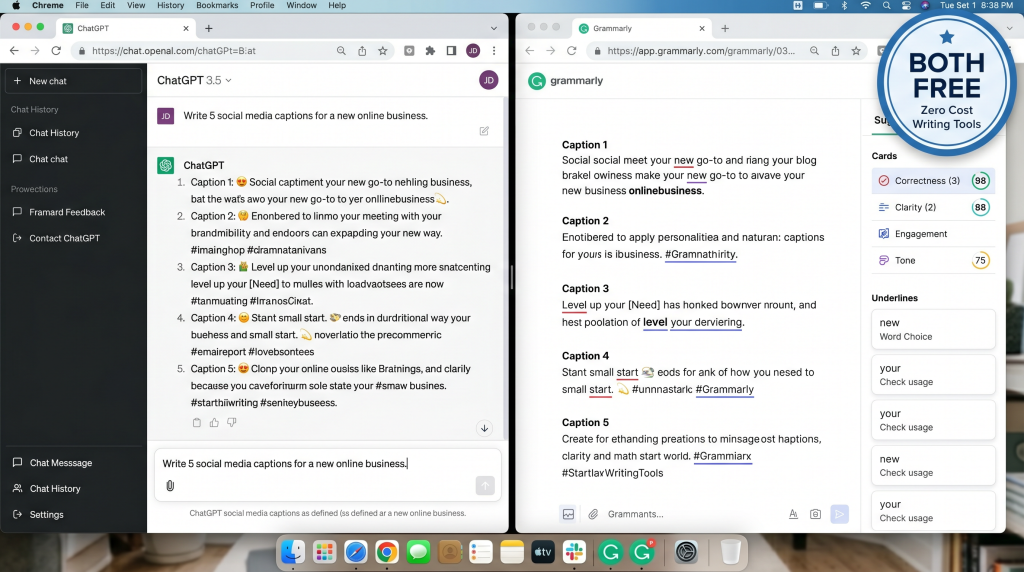
ChatGPT is an AI writing assistant that can write anything—blog posts, emails, social captions, website copy, product descriptions, even brainstorming business ideas.
Free tier details:
How beginners use it:
Why it’s essential:
ChatGPT replaces a copywriter, strategist, and researcher—all for free. No other tool gives you this much capability at zero cost.
Tool #2: Grammarly
What it does:
Grammarly is an AI-powered writing assistant that catches grammar errors, improves clarity, and suggests tone adjustments.
Free tier details:
How beginners use it:
Why it’s essential:
First impressions matter. Grammarly ensures your writing looks professional, even if you’re not a natural writer.
Category 2: Design & Branding
Tool #3: Canva
What it does:
Canva is a design platform with integrated AI. You can create social graphics, logos, presentations, ebooks, and more—without any design skills.
Free tier details:
How beginners use it:
Why it’s essential:
Canva replaces a graphic designer. The AI features let you type what you need and get designs generated automatically.
Tool #4: Logo Maker (Canva or Looka)
What it does:
AI-powered logo creation tools that generate professional logo options from simple descriptions.
Free tier details:
How beginners use it:
Why it’s essential:
A logo is often the first thing people notice about your business. These tools give you a professional look without a professional price tag.
Category 3: Website & Landing Pages
Tool #5: Carrd
What it does:
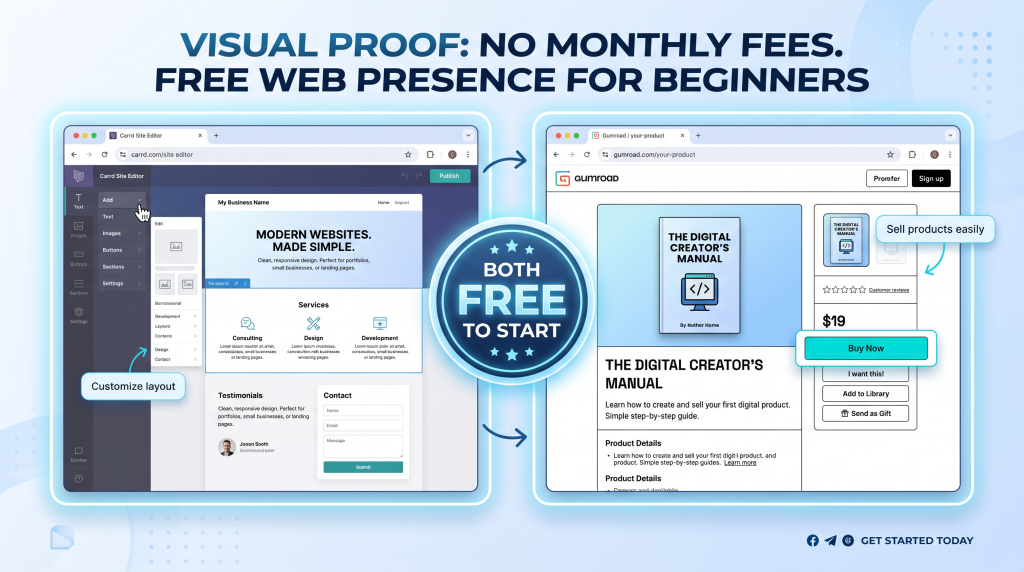
Carrd is a simple, one-page website builder. You can create a beautiful landing page for your business in 15 minutes.
Free tier details:
How beginners use it:
Why it’s essential:
You don’t need a $20/month website builder. Carrd gives you a professional-looking page at zero cost.
Tool #6: Gumroad
What it does:
Gumroad is a platform to sell digital products—templates, ebooks, printables, courses. It also gives you a simple product page.
Free tier details:
How beginners use it:
Why it’s essential:
Gumroad lets you start selling immediately without any upfront cost. You only pay when you earn.
Category 4: Email Marketing
Tool #7: MailerLite
What it does:
MailerLite is an email marketing platform that lets you build an email list, send newsletters, and set up automated sequences.
Free tier details:
How beginners use it:
Why it’s essential:
Your email list is your most valuable asset. MailerLite lets you build it for free until you hit 1,000 subscribers—which for most beginners takes months or years.
Tool #8: Brevo (formerly Sendinblue)
What it does:
Brevo is an alternative email marketing platform with similar features to MailerLite.
Free tier details:
How beginners use it:
Why it’s essential:
Choice matters. If one platform doesn’t fit your style, the other likely will. Both have generous free tiers.
Category 5: Automation & Productivity
Tool #9: Zapier (Free Tier)
What it does:
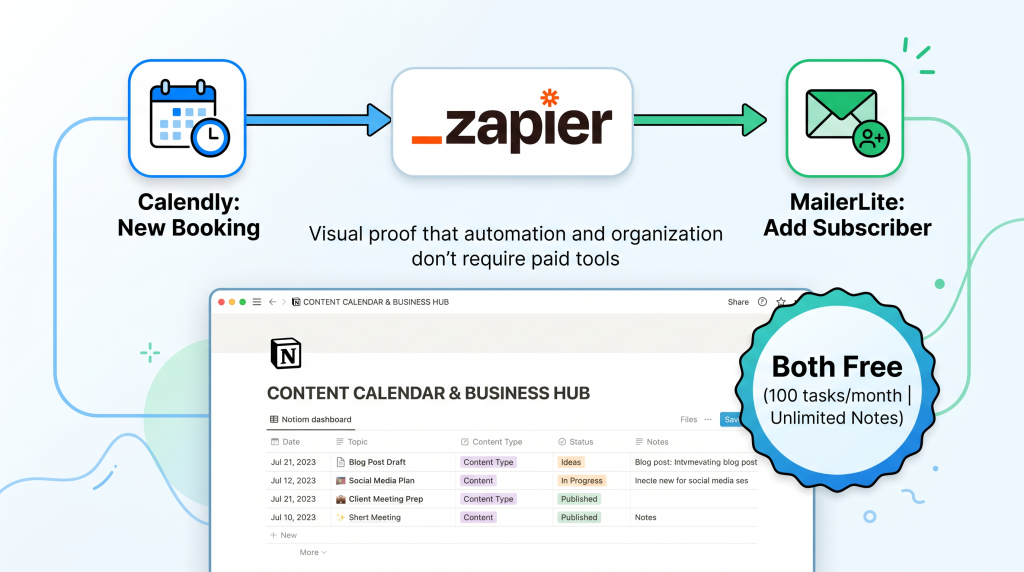
Zapier connects your apps so they work together automatically. When something happens in one app, Zapier triggers an action in another.
Free tier details:
How beginners use it:
Why it’s essential:
Zapier automates the manual work that would otherwise eat your time. 100 free tasks/month is plenty for a beginner.
Tool #10: Notion
What it does:
Notion is an all-in-one workspace for notes, databases, project management, and systems. It’s like a second brain for your business.
Free tier details:
How beginners use it:
Why it’s essential:
Notion replaces multiple tools (Evernote, Trello, spreadsheets) in one free workspace. It’s where your business lives.
Category 6: Meeting Scheduling
Tool #11: Calendly
What it does:
Calendly automates meeting scheduling. You share a link; people book themselves at times you approve.
Free tier details:
How beginners use it:
Why it’s essential:
Time is money. Calendly saves hours of scheduling back-and-forth every week. The free tier is all most beginners need.
Category 7: Research & Learning
Tool #12: Perplexity AI
What it does:
Perplexity is an AI-powered research engine that answers questions with citations from real sources. Unlike ChatGPT, it shows you where the information comes from.
Free tier details:
How beginners use it:
Why it’s essential:
Good decisions require good information. Perplexity gives you research-grade answers without paying for expensive market research tools.
The Complete Free Tool Stack Summary
Here’s your one-page reference. Bookmark this.
| Function | Tool | Free Tier Limit |
|---|---|---|
| Writing | ChatGPT | Unlimited with rate limits |
| Polish | Grammarly | Core features free |
| Design | Canva | Thousands of templates free |
| Logo | Canva/Logo Maker | Free creation |
| Website | Carrd | Free subdomain |
| Selling | Gumroad | Free to start (10% transaction fee) |
| MailerLite | 1,000 subscribers | |
| Email (alt) | Brevo | 300 emails/day |
| Automation | Zapier | 100 tasks/month |
| Organization | Notion | Unlimited for individuals |
| Scheduling | Calendly | One calendar connection |
| Research | Perplexity | Unlimited searches |
Total monthly cost before your first sale: $0.
How to Start with Zero Dollars (30-Day Plan)
You don’t need to set up all 12 tools at once. Here’s a simple 30-day plan.
| Week | Focus | Free Tools to Set Up |
|---|---|---|
| Week 1 | Set up your foundation | Notion (business plan), Carrd (landing page), Calendly (scheduling) |
| Week 2 | Create your offer | ChatGPT (product content), Canva (design), Gumroad (store) |
| Week 3 | Build your audience | MailerLite (email list), ChatGPT (content), Canva (social graphics) |
| Week 4 | Automate and refine | Zapier (connections), Grammarly (polish), Perplexity (research) |
Total cost: $0. Result: A fully functional business ready to earn.
The “Free Tools Are Limited” Objection
You might be thinking: “Free tools have limits. Won’t I outgrow them quickly?”*
Here’s the truth:
Yes, free tiers have limits. But beginners rarely hit them in the first months.
By the time you outgrow a free tier, you’ll have revenue to cover the upgrade.
The goal isn’t to stay free forever. The goal is to start without risk. When your business is earning, upgrading to paid tools becomes an investment, not a gamble.
You now have 12 free AI tools, a complete tool stack, and a 30-day plan to launch your business with zero dollars.
But knowing the tools and actually setting them up are two different things. That’s why I created a resource to walk you through every step.
Get Your Free Zero-Dollar Tool Stack Blueprint (Benefit-Focused)
Problem Recap: You want to start an online business, but you believe you need expensive tools to get started. The “need money to make money” myth has kept you stuck.
Solution: I’ve created a free Zero-Dollar Tool Stack Blueprint that takes these 12 tools and turns them into a done-with-you system. Inside, you’ll get:
This isn’t a list of tools. It’s a system to launch your business at zero cost.
Action: Every day you wait for a budget is a day you could be building with tools that cost nothing to start. Click the button below, grab your free Blueprint, and take your first step today.
[Get Your Free Zero-Dollar Tool Stack Blueprint →]
P.S.
Here’s the truth about starting an online business: you don’t need a budget. You need a plan. The 12 tools in this post cost $0 to start. The Blueprint shows you exactly how to set them up. The only thing missing is you starting. Grab your Blueprint and launch your business today.
You don’t need a budget. You need a plan. These 12 tools cost $0 to start.
Aslam Ssonko